;}.cls-2{fill:%2358d687;}.cls-3{fill:url(%23Degradado_sin_nombre_10);}.cls-4{fill:url(%23Degradado_sin_nombre_31);}.cls-5{fill:%238030d1;}.cls-6{fill:url(%23Degradado_sin_nombre_23);}%3c/style%3e%3clinearGradient%20id='Degradado_sin_nombre_17'%20x1='129.39'%20y1='83.35'%20x2='56.4'%20y2='162.54'%20gradientUnits='userSpaceOnUse'%3e%3cstop%20offset='0'%20stop-color='%23287d8c'/%3e%3cstop%20offset='1'%20stop-color='%2350b5db'/%3e%3c/linearGradient%3e%3clinearGradient%20id='Degradado_sin_nombre_10'%20x1='449.01'%20y1='190.97'%20x2='266.02'%20y2='78.2'%20gradientUnits='userSpaceOnUse'%3e%3cstop%20offset='0'%20stop-color='%23ffe286'/%3e%3cstop%20offset='1'%20stop-color='%23ffcd1d'/%3e%3c/linearGradient%3e%3clinearGradient%20id='Degradado_sin_nombre_31'%20x1='99.7'%20y1='309.69'%20x2='146.19'%20y2='485.35'%20gradientUnits='userSpaceOnUse'%3e%3cstop%20offset='0.01'%20stop-color='%23ff9464'/%3e%3cstop%20offset='1'%20stop-color='%23b3553a'/%3e%3c/linearGradient%3e%3clinearGradient%20id='Degradado_sin_nombre_23'%20x1='547.05'%20y1='208.96'%20x2='252.56'%20y2='438.86'%20gradientUnits='userSpaceOnUse'%3e%3cstop%20offset='0'%20stop-color='%23ff7da1'/%3e%3cstop%20offset='1'%20stop-color='%23f20b4f'/%3e%3c/linearGradient%3e%3c/defs%3e%3ctitle%3efavicon%3c/title%3e%3cg%20id='_Group_'%20data-name='<Group>'%3e%3cg%20id='_Group_2'%20data-name='<Group>'%3e%3cg%20id='_Group_3'%20data-name='<Group>'%3e%3cpath%20id='_Path_'%20data-name='<Path>'%20class='cls-1'%20d='M232.54,165.43a124.47,124.47,0,0,1-106.95,60.76h0A101.77,101.77,0,0,1,23.82,124.41V0L132.31,95.94A517.46,517.46,0,0,0,232.54,165.43Z'/%3e%3cpath%20id='_Path_2'%20data-name='<Path>'%20class='cls-2'%20d='M250,0V101.78a123.87,123.87,0,0,1-17.46,63.65A517.46,517.46,0,0,1,132.31,95.94L23.82,0Z'/%3e%3cpath%20id='_Path_3'%20data-name='<Path>'%20class='cls-3'%20d='M476.18,226.19a518.87,518.87,0,0,1-243.64-60.76A123.87,123.87,0,0,0,250,101.78V0A226.12,226.12,0,0,1,476.18,226.19Z'/%3e%3cpath%20id='_Path_4'%20data-name='<Path>'%20class='cls-4'%20d='M232.54,334.57a517.71,517.71,0,0,0-100.23,69.54L23.82,500V375.59A101.77,101.77,0,0,1,125.59,273.81h0A124.47,124.47,0,0,1,232.54,334.57Z'/%3e%3cpath%20id='_Path_5'%20data-name='<Path>'%20class='cls-5'%20d='M250,398.22V500H23.82l108.49-95.89a517.71,517.71,0,0,1,100.23-69.54A123.87,123.87,0,0,1,250,398.22Z'/%3e%3cpath%20id='_Path_6'%20data-name='<Path>'%20class='cls-6'%20d='M476.18,273.81A226.12,226.12,0,0,1,250,500V398.22a123.87,123.87,0,0,0-17.46-63.65A518.87,518.87,0,0,1,476.18,273.81Z'/%3e%3c/g%3e%3c/g%3e%3c/g%3e%3c/svg%3e)

Graphic Design Basics: Hierarchy, Cutouts and Layered Type
This path is for beginner designers moving toward intermediate work in graphic design. You will learn to set visual hierarchy, cut subjects out in Photoshop, and build layered typography and 3D text. It mixes watching, timed practice and feedback on your own work.
By the end of this path, you'll be able to
- Explain how visual hierarchy guides a viewer's eye across a layout
- Cut a subject out of its background and place it on a new one
- Apply blend modes, masks and layer effects to type in Photoshop
- Redesign a poster by working through critique, spacing and hierarchy
- Set two typefaces into a clear scale of levels
1
Start with the core rules
Three short videos cover hierarchy, everyday design rules and a first Photoshop cutout.
- VideoThis Design Technique Changes EVERYTHING! (Make Better Designs TODAY)Starts with visual hierarchy, the idea every later step depends on.
- Video6 Rules EVERY Pro Designer Knows! (Learn In 5 Minutes!)Adds general rules a working designer applies day to day.
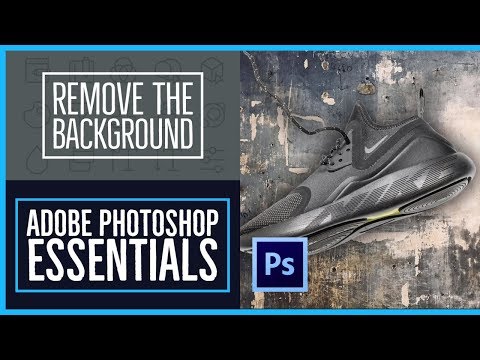
- VideoHow to remove the background in Adobe Photoshop - Photoshop CC Essentials [27/86]A first hands-on Photoshop cutout that the later effects build on.

2
Layer effects and redesign
Move up a level with typographic effects, a poster teardown and a longer 3D text tutorial.
- VideoMake Your Text Burn! 🔥 How to Wrap Fire Over Typography in PhotoshopMoves up a level to blending and masking effects on type.
- VideoDesign Breakdown: Before & AfterA poster redesign that shows hierarchy and spacing applied in practice.
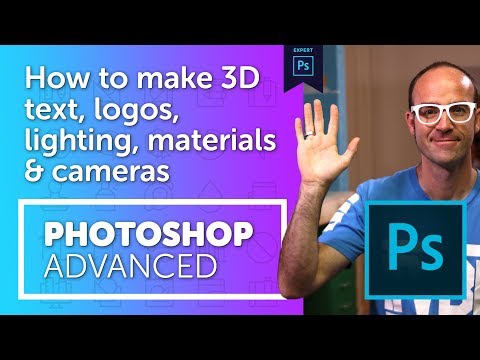
- VideoAdobe Photoshop Tutorial: 3D Text & 3D LogosThe longest tutorial, placed last because it covers 3D materials and lighting.


3
Practise hierarchy and type
Two hands-on steps where you rebuild hierarchy without color and set a typeface scale.
4
Keep building and get feedback
Continue into a poster and flyer path, then use the optional step to review your work.
