Accessibility Features and Assistive Tech in Practice
For anyone curious about how blind and low-vision people use phones, tablets, headsets and everyday apps. You will be able to judge accessibility features on real devices and explain what works and what does not.
12 videos · 3 hr 42 min
What you’ll learn
✓Explain how screen readers like VoiceOver and TalkBack move through a screen
✓Set up accessibility shortcuts on Android to switch features on quickly
✓Use Edge Read Aloud and Immersive Reader to listen to web articles
✓Add captions, transcripts and audio description to make videos more accessible
✓Compare how Apple Vision Pro and Pixel Watch handle low vision and blind use
An interview with the CEO of Seleste, AI smart glasses for blind and visually impaired users, covering features such as scene description, hands-free AI, object finding, latency, pricing and iOS and Android compatibility. The host, who is legally blind, also shares her own thoughts on the product and its pricing model.
Carrie demonstrates how to use Microsoft Edge's Read Aloud, which reads webpages aloud without a screen reader, and Immersive Reader, which strips ads and navigation from articles. She explains how these features help blind and visually impaired people.
An overview of the National Library Services Braille eReader free loaner program for blind and print-disabled readers. It covers what comes with the Zoomax Braille eReader, its main features, and where to find NLS tutorials and the user guide.
A ten-point guide to making videos more accessible for blind, visually impaired, deaf and hard of hearing viewers and others. It covers captions, transcripts, audio description, flashing, contrast, fonts, chapters and accessible players.
A blind reviewer walks through the accessibility features of the Nintendo Switch, including screen reader support, dark mode, screen size, keyboard use, colour inversion, text size and magnification, and what is missing. The video is a critical look at how an everyday device serves users with sight loss.
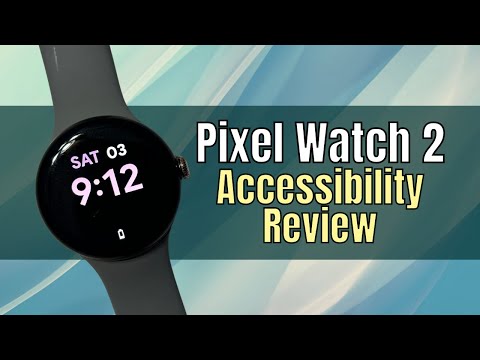
A blind reviewer tests the Google Pixel Watch 2's accessibility features, including TalkBack, the text-to-speech voice and magnification for blind and low-vision users. The video follows up on an earlier review to see what has improved.
Shows how a blind user can set up the Apple Vision Pro independently using VoiceOver, from enabling it through scanning the QR code, eye and hand tracking, and Apple ID setup. It suits anyone who wants to see the setup experience from a screen-reader user's point of view.
A walkthrough of VoiceOver on the Apple Vision Pro, covering the basic gestures and then the VoiceOver settings menus, including speech, braille, verbosity, audio and gesture commands. It suits people who want to understand how a screen reader works on this device.
A blind creator shows how they set up Android shortcuts to switch on accessibility features such as TalkBack and magnification and to reach their most-used apps. It suits designers who want to see how a blind user navigates a phone day to day.
A walkthrough of the accessibility features on Apple Vision Pro for people with low vision, covering display and text size, zoom, appearance, motion, spoken content, audio descriptions and eye input. It also shares what the features are like to adjust from the perspective of a visually impaired user.
A short tour of the new Service Directory feature in the Be My Eyes app, showing how it works on iPhone and Android for blind and visually impaired users finding customer services. It is a product walkthrough from a blind creator's perspective rather than a lesson in design method.
An interview with Aira's CEO, Troy Otillio, about Access AI, a beta feature in the Aira Explorer apps that describes uploaded images and answers questions about them. It covers how the feature works, its cost and data handling, and how it compares with apps such as Be My AI and Seeing AI.
For designers new to accessibility who want to understand who it affects and the core WCAG basics. You will be able to explain the key ideas and spot common barriers in your own design work.
This path is for intermediate designers, product owners and developers who handle accessibility in everyday product work. You will learn to audit, document, test and research interfaces so they work for more people.
For leaders and programme owners building digital accessibility across an organisation. You will learn to win executive backing, measure maturity, set up governance and scale practice through research and component libraries.
For designers who want developers to build accessible interfaces exactly as intended. You will learn to check, annotate and hand off Figma designs with clear accessibility detail.
;}.cls-2{fill:%2358d687;}.cls-3{fill:url(%23Degradado_sin_nombre_10);}.cls-4{fill:url(%23Degradado_sin_nombre_31);}.cls-5{fill:%238030d1;}.cls-6{fill:url(%23Degradado_sin_nombre_23);}%3c/style%3e%3clinearGradient%20id='Degradado_sin_nombre_17'%20x1='129.39'%20y1='83.35'%20x2='56.4'%20y2='162.54'%20gradientUnits='userSpaceOnUse'%3e%3cstop%20offset='0'%20stop-color='%23287d8c'/%3e%3cstop%20offset='1'%20stop-color='%2350b5db'/%3e%3c/linearGradient%3e%3clinearGradient%20id='Degradado_sin_nombre_10'%20x1='449.01'%20y1='190.97'%20x2='266.02'%20y2='78.2'%20gradientUnits='userSpaceOnUse'%3e%3cstop%20offset='0'%20stop-color='%23ffe286'/%3e%3cstop%20offset='1'%20stop-color='%23ffcd1d'/%3e%3c/linearGradient%3e%3clinearGradient%20id='Degradado_sin_nombre_31'%20x1='99.7'%20y1='309.69'%20x2='146.19'%20y2='485.35'%20gradientUnits='userSpaceOnUse'%3e%3cstop%20offset='0.01'%20stop-color='%23ff9464'/%3e%3cstop%20offset='1'%20stop-color='%23b3553a'/%3e%3c/linearGradient%3e%3clinearGradient%20id='Degradado_sin_nombre_23'%20x1='547.05'%20y1='208.96'%20x2='252.56'%20y2='438.86'%20gradientUnits='userSpaceOnUse'%3e%3cstop%20offset='0'%20stop-color='%23ff7da1'/%3e%3cstop%20offset='1'%20stop-color='%23f20b4f'/%3e%3c/linearGradient%3e%3c/defs%3e%3ctitle%3efavicon%3c/title%3e%3cg%20id='_Group_'%20data-name='<Group>'%3e%3cg%20id='_Group_2'%20data-name='<Group>'%3e%3cg%20id='_Group_3'%20data-name='<Group>'%3e%3cpath%20id='_Path_'%20data-name='<Path>'%20class='cls-1'%20d='M232.54,165.43a124.47,124.47,0,0,1-106.95,60.76h0A101.77,101.77,0,0,1,23.82,124.41V0L132.31,95.94A517.46,517.46,0,0,0,232.54,165.43Z'/%3e%3cpath%20id='_Path_2'%20data-name='<Path>'%20class='cls-2'%20d='M250,0V101.78a123.87,123.87,0,0,1-17.46,63.65A517.46,517.46,0,0,1,132.31,95.94L23.82,0Z'/%3e%3cpath%20id='_Path_3'%20data-name='<Path>'%20class='cls-3'%20d='M476.18,226.19a518.87,518.87,0,0,1-243.64-60.76A123.87,123.87,0,0,0,250,101.78V0A226.12,226.12,0,0,1,476.18,226.19Z'/%3e%3cpath%20id='_Path_4'%20data-name='<Path>'%20class='cls-4'%20d='M232.54,334.57a517.71,517.71,0,0,0-100.23,69.54L23.82,500V375.59A101.77,101.77,0,0,1,125.59,273.81h0A124.47,124.47,0,0,1,232.54,334.57Z'/%3e%3cpath%20id='_Path_5'%20data-name='<Path>'%20class='cls-5'%20d='M250,398.22V500H23.82l108.49-95.89a517.71,517.71,0,0,1,100.23-69.54A123.87,123.87,0,0,1,250,398.22Z'/%3e%3cpath%20id='_Path_6'%20data-name='<Path>'%20class='cls-6'%20d='M476.18,273.81A226.12,226.12,0,0,1,250,500V398.22a123.87,123.87,0,0,0-17.46-63.65A518.87,518.87,0,0,1,476.18,273.81Z'/%3e%3c/g%3e%3c/g%3e%3c/g%3e%3c/svg%3e)