Automating Design Work with Figma Plugins and Agents
For designers comfortable with a little JavaScript who want to automate repeat design work. You will be able to write small Figma plugin scripts, build tools with AI coding assistants, and judge when a modular framework fits.
5 lessons · 1 hr 48 min, plus 1 optional (4 min more with the optional lessons)
Start here: a short Plugin API script run in Figma's console shows how small code can fix a real design problem.
Shows how to run Figma Plugin API code in the JavaScript console to solve design problems. Suits designers who are comfortable with a little JavaScript.
Adds the vibe-coding step: a design leader builds a Figma plugin with Claude Code to automate repetitive deck updates.
An interview in which Jay talks with Hammed Kohistani, Sr Director of Product Design at Jump, about how he uses Claude Code to vibe code Figma plugins that automate repetitive design work such as updating pitch decks. The video covers the time it takes, the return on automating design work, and prompting and fixing issues with Claude Code.
Builds on the plugin idea by showing how to describe inputs, rules and outputs so an agent can build the tool for you.
Shows how agents can turn repeatable Figma workflows into plugins by describing inputs, rules and outputs, with examples of design-system integrations and guidance on turning team knowledge into reusable tools. Suited to designers who already work in Figma and want to automate their team's processes.
Moves beyond one plugin to connecting Figma to Cursor through the Figma MCP, for agent-driven tooling across a longer workflow.
A Sneak Peek interview in which Webflow designer JB shows how he uses Cursor alongside Figma in an AI-assisted design process. It compares the two tools, covers Figma MCP and stakeholder communication, and suits designers already working in Figma.
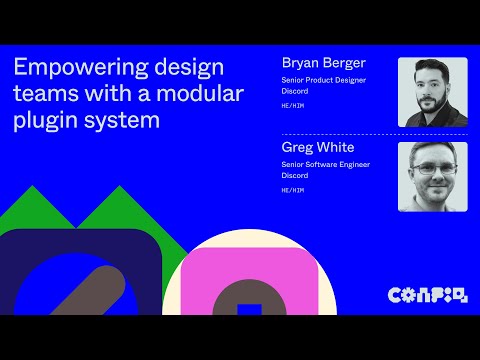
Shows advanced structure: Discord's modular Spellbook plugin, built for large-scale design migrations and its framework choices.
A Config 2024 talk in which Discord engineers and designers walk through Spellbook, a modular Figma plugin used for large-scale design migrations. It covers the team's methods and how their plugin framework streamlines contribution and adoption, and it also showcases several plugins and how their developers made them.
Optional: adds ideas for AI-assisted critique, UX copy and design handoff using Claude Code's design plugin.
Walks through Claude Code's new design plugin and a workflow that moves from design critique to UX copy refinement to design handoff. It is aimed at product designers who want to use AI tools in their design process.
For beginners who want to understand interface design and build simple screens in Figma. You will be able to choose colours and type, lay out screens clearly, and polish a design.
For designers new to AI who want to understand its role in design work and try beginner-friendly tools. You will be able to judge whether a tool fits a task and turn a prompt into a working prototype.
For beginners setting up Figma for the first time. You will create an account and team, organise files, import and export designs, and pick up everyday speed tips.
For intermediate designers who want to take a UI from layout grid to working code. You will plan interfaces, build interactive components, document them for developers and use AI to generate screens from a design system.
;}.cls-2{fill:%2358d687;}.cls-3{fill:url(%23Degradado_sin_nombre_10);}.cls-4{fill:url(%23Degradado_sin_nombre_31);}.cls-5{fill:%238030d1;}.cls-6{fill:url(%23Degradado_sin_nombre_23);}%3c/style%3e%3clinearGradient%20id='Degradado_sin_nombre_17'%20x1='129.39'%20y1='83.35'%20x2='56.4'%20y2='162.54'%20gradientUnits='userSpaceOnUse'%3e%3cstop%20offset='0'%20stop-color='%23287d8c'/%3e%3cstop%20offset='1'%20stop-color='%2350b5db'/%3e%3c/linearGradient%3e%3clinearGradient%20id='Degradado_sin_nombre_10'%20x1='449.01'%20y1='190.97'%20x2='266.02'%20y2='78.2'%20gradientUnits='userSpaceOnUse'%3e%3cstop%20offset='0'%20stop-color='%23ffe286'/%3e%3cstop%20offset='1'%20stop-color='%23ffcd1d'/%3e%3c/linearGradient%3e%3clinearGradient%20id='Degradado_sin_nombre_31'%20x1='99.7'%20y1='309.69'%20x2='146.19'%20y2='485.35'%20gradientUnits='userSpaceOnUse'%3e%3cstop%20offset='0.01'%20stop-color='%23ff9464'/%3e%3cstop%20offset='1'%20stop-color='%23b3553a'/%3e%3c/linearGradient%3e%3clinearGradient%20id='Degradado_sin_nombre_23'%20x1='547.05'%20y1='208.96'%20x2='252.56'%20y2='438.86'%20gradientUnits='userSpaceOnUse'%3e%3cstop%20offset='0'%20stop-color='%23ff7da1'/%3e%3cstop%20offset='1'%20stop-color='%23f20b4f'/%3e%3c/linearGradient%3e%3c/defs%3e%3ctitle%3efavicon%3c/title%3e%3cg%20id='_Group_'%20data-name='<Group>'%3e%3cg%20id='_Group_2'%20data-name='<Group>'%3e%3cg%20id='_Group_3'%20data-name='<Group>'%3e%3cpath%20id='_Path_'%20data-name='<Path>'%20class='cls-1'%20d='M232.54,165.43a124.47,124.47,0,0,1-106.95,60.76h0A101.77,101.77,0,0,1,23.82,124.41V0L132.31,95.94A517.46,517.46,0,0,0,232.54,165.43Z'/%3e%3cpath%20id='_Path_2'%20data-name='<Path>'%20class='cls-2'%20d='M250,0V101.78a123.87,123.87,0,0,1-17.46,63.65A517.46,517.46,0,0,1,132.31,95.94L23.82,0Z'/%3e%3cpath%20id='_Path_3'%20data-name='<Path>'%20class='cls-3'%20d='M476.18,226.19a518.87,518.87,0,0,1-243.64-60.76A123.87,123.87,0,0,0,250,101.78V0A226.12,226.12,0,0,1,476.18,226.19Z'/%3e%3cpath%20id='_Path_4'%20data-name='<Path>'%20class='cls-4'%20d='M232.54,334.57a517.71,517.71,0,0,0-100.23,69.54L23.82,500V375.59A101.77,101.77,0,0,1,125.59,273.81h0A124.47,124.47,0,0,1,232.54,334.57Z'/%3e%3cpath%20id='_Path_5'%20data-name='<Path>'%20class='cls-5'%20d='M250,398.22V500H23.82l108.49-95.89a517.71,517.71,0,0,1,100.23-69.54A123.87,123.87,0,0,1,250,398.22Z'/%3e%3cpath%20id='_Path_6'%20data-name='<Path>'%20class='cls-6'%20d='M476.18,273.81A226.12,226.12,0,0,1,250,500V398.22a123.87,123.87,0,0,0-17.46-63.65A518.87,518.87,0,0,1,476.18,273.81Z'/%3e%3c/g%3e%3c/g%3e%3c/g%3e%3c/svg%3e)