Ben Marriott's After Effects and Motion Design Videos
For beginners and intermediate motion designers who want a curated set of Ben Marriott's Designed videos, from first steps in After Effects to more advanced textures, transitions and AI-assisted animation.
12 videos · 83 min
What you’ll learn
✓Set up a simple illustrated character animation moving from Illustrator into After Effects
✓Build animated gradients, grain and shape morphs without heavy keyframing
✓Stack mattes and textures to add depth to a motion graphic
✓Choose and use free After Effects plugins for commercial-style motion work
✓Test style-transfer tools like EbSynth and judge where they work well
A motion design tutorial that walks through animating an illustrated character from Illustrator into After Effects using a frame-by-frame workflow, based on the work of Burnt Toast Creative. It is aimed at beginner to intermediate users.
A short tutorial sharing practical After Effects tips and tricks the presenter wished they had known when starting out. It is aimed at beginner to intermediate users learning the software.
A beginner tutorial showing how to build a simple Instagram filter in Spark AR Studio. It is aimed at people with no prior experience of AR or Spark AR Studio.
Ben Marriott breaks down how he created a motion animation in After Effects, stacking mattes and applying textures with minimal animation and keyframes. The tutorial is aimed at beginner to intermediate users.
Ben Marriott walks through five free After Effects plugins he uses in commercial motion design work, including Text Evo, Butt Capper, VC Vibrance, Ease Copy and FX Console, plus an honorable mention. It is aimed at motion designers who already use After Effects and want to speed up their workflow.
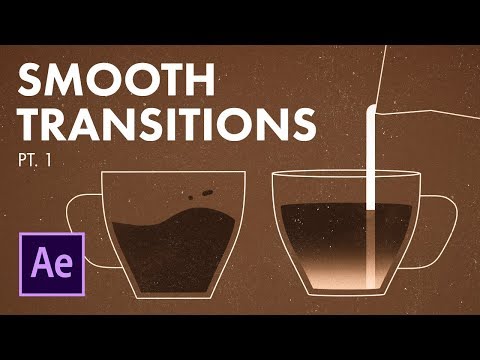
A walkthrough of how the creator built a looping coffee animation in After Effects, covering workflow, easing and 2D-to-3D style transitions. The description says it suits intermediate users and that follow-up parts will explore the transitions further.
Ben Marriott tests the style-transfer tool EbSynth on animated Simpsons clips, changing their style from a single reference frame and trying unusual inputs to see how the software interprets them. It is aimed at motion designers curious about AI-assisted animation.
A short After Effects tutorial showing a faster, more versatile method for animated grain shading and noisy, textured gradients. It is aimed at motion designers who already use After Effects.
A quick After Effects tutorial showing a simple method to create a shape morph animation and transition that can be applied to any shapes. The description says it suits beginner to intermediate users.
A tutorial showing a simple method to create animated gradients and shading in Adobe After Effects. The description says it suits beginners to intermediate users.
A walkthrough of the workflow and process for creating an animated YouTube intro in Adobe After Effects, using a range of motion design skills. The description says it is suitable for intermediate users.
A short experiment using EbSynth style-transfer software in After Effects to produce animated deepfake footage in the style of Rick & Morty. It shows some unconventional techniques for animating existing footage with AI-assisted tools.
For beginners who want to understand interface design and build simple screens in Figma. You will be able to choose colours and type, lay out screens clearly, and polish a design.
This path is for beginners who want to learn the Figma editor by building real screens. You will move from the editor basics to auto layout, components, styles, variables and exporting assets for handoff.
This path is for complete beginners who want to learn Figma from the ground up. By the end you will be able to find your way around the interface, resize frames confidently and draw simple vector icons.
This path is for beginners who want to understand design trends and then move on to intermediate forecasts. You will learn why trends matter and how web, UX/UI, graphic and 3D styles have shifted over recent years.
;}.cls-2{fill:%2358d687;}.cls-3{fill:url(%23Degradado_sin_nombre_10);}.cls-4{fill:url(%23Degradado_sin_nombre_31);}.cls-5{fill:%238030d1;}.cls-6{fill:url(%23Degradado_sin_nombre_23);}%3c/style%3e%3clinearGradient%20id='Degradado_sin_nombre_17'%20x1='129.39'%20y1='83.35'%20x2='56.4'%20y2='162.54'%20gradientUnits='userSpaceOnUse'%3e%3cstop%20offset='0'%20stop-color='%23287d8c'/%3e%3cstop%20offset='1'%20stop-color='%2350b5db'/%3e%3c/linearGradient%3e%3clinearGradient%20id='Degradado_sin_nombre_10'%20x1='449.01'%20y1='190.97'%20x2='266.02'%20y2='78.2'%20gradientUnits='userSpaceOnUse'%3e%3cstop%20offset='0'%20stop-color='%23ffe286'/%3e%3cstop%20offset='1'%20stop-color='%23ffcd1d'/%3e%3c/linearGradient%3e%3clinearGradient%20id='Degradado_sin_nombre_31'%20x1='99.7'%20y1='309.69'%20x2='146.19'%20y2='485.35'%20gradientUnits='userSpaceOnUse'%3e%3cstop%20offset='0.01'%20stop-color='%23ff9464'/%3e%3cstop%20offset='1'%20stop-color='%23b3553a'/%3e%3c/linearGradient%3e%3clinearGradient%20id='Degradado_sin_nombre_23'%20x1='547.05'%20y1='208.96'%20x2='252.56'%20y2='438.86'%20gradientUnits='userSpaceOnUse'%3e%3cstop%20offset='0'%20stop-color='%23ff7da1'/%3e%3cstop%20offset='1'%20stop-color='%23f20b4f'/%3e%3c/linearGradient%3e%3c/defs%3e%3ctitle%3efavicon%3c/title%3e%3cg%20id='_Group_'%20data-name='<Group>'%3e%3cg%20id='_Group_2'%20data-name='<Group>'%3e%3cg%20id='_Group_3'%20data-name='<Group>'%3e%3cpath%20id='_Path_'%20data-name='<Path>'%20class='cls-1'%20d='M232.54,165.43a124.47,124.47,0,0,1-106.95,60.76h0A101.77,101.77,0,0,1,23.82,124.41V0L132.31,95.94A517.46,517.46,0,0,0,232.54,165.43Z'/%3e%3cpath%20id='_Path_2'%20data-name='<Path>'%20class='cls-2'%20d='M250,0V101.78a123.87,123.87,0,0,1-17.46,63.65A517.46,517.46,0,0,1,132.31,95.94L23.82,0Z'/%3e%3cpath%20id='_Path_3'%20data-name='<Path>'%20class='cls-3'%20d='M476.18,226.19a518.87,518.87,0,0,1-243.64-60.76A123.87,123.87,0,0,0,250,101.78V0A226.12,226.12,0,0,1,476.18,226.19Z'/%3e%3cpath%20id='_Path_4'%20data-name='<Path>'%20class='cls-4'%20d='M232.54,334.57a517.71,517.71,0,0,0-100.23,69.54L23.82,500V375.59A101.77,101.77,0,0,1,125.59,273.81h0A124.47,124.47,0,0,1,232.54,334.57Z'/%3e%3cpath%20id='_Path_5'%20data-name='<Path>'%20class='cls-5'%20d='M250,398.22V500H23.82l108.49-95.89a517.71,517.71,0,0,1,100.23-69.54A123.87,123.87,0,0,1,250,398.22Z'/%3e%3cpath%20id='_Path_6'%20data-name='<Path>'%20class='cls-6'%20d='M476.18,273.81A226.12,226.12,0,0,1,250,500V398.22a123.87,123.87,0,0,0-17.46-63.65A518.87,518.87,0,0,1,476.18,273.81Z'/%3e%3c/g%3e%3c/g%3e%3c/g%3e%3c/svg%3e)