;}.cls-2{fill:%2358d687;}.cls-3{fill:url(%23Degradado_sin_nombre_10);}.cls-4{fill:url(%23Degradado_sin_nombre_31);}.cls-5{fill:%238030d1;}.cls-6{fill:url(%23Degradado_sin_nombre_23);}%3c/style%3e%3clinearGradient%20id='Degradado_sin_nombre_17'%20x1='129.39'%20y1='83.35'%20x2='56.4'%20y2='162.54'%20gradientUnits='userSpaceOnUse'%3e%3cstop%20offset='0'%20stop-color='%23287d8c'/%3e%3cstop%20offset='1'%20stop-color='%2350b5db'/%3e%3c/linearGradient%3e%3clinearGradient%20id='Degradado_sin_nombre_10'%20x1='449.01'%20y1='190.97'%20x2='266.02'%20y2='78.2'%20gradientUnits='userSpaceOnUse'%3e%3cstop%20offset='0'%20stop-color='%23ffe286'/%3e%3cstop%20offset='1'%20stop-color='%23ffcd1d'/%3e%3c/linearGradient%3e%3clinearGradient%20id='Degradado_sin_nombre_31'%20x1='99.7'%20y1='309.69'%20x2='146.19'%20y2='485.35'%20gradientUnits='userSpaceOnUse'%3e%3cstop%20offset='0.01'%20stop-color='%23ff9464'/%3e%3cstop%20offset='1'%20stop-color='%23b3553a'/%3e%3c/linearGradient%3e%3clinearGradient%20id='Degradado_sin_nombre_23'%20x1='547.05'%20y1='208.96'%20x2='252.56'%20y2='438.86'%20gradientUnits='userSpaceOnUse'%3e%3cstop%20offset='0'%20stop-color='%23ff7da1'/%3e%3cstop%20offset='1'%20stop-color='%23f20b4f'/%3e%3c/linearGradient%3e%3c/defs%3e%3ctitle%3efavicon%3c/title%3e%3cg%20id='_Group_'%20data-name='<Group>'%3e%3cg%20id='_Group_2'%20data-name='<Group>'%3e%3cg%20id='_Group_3'%20data-name='<Group>'%3e%3cpath%20id='_Path_'%20data-name='<Path>'%20class='cls-1'%20d='M232.54,165.43a124.47,124.47,0,0,1-106.95,60.76h0A101.77,101.77,0,0,1,23.82,124.41V0L132.31,95.94A517.46,517.46,0,0,0,232.54,165.43Z'/%3e%3cpath%20id='_Path_2'%20data-name='<Path>'%20class='cls-2'%20d='M250,0V101.78a123.87,123.87,0,0,1-17.46,63.65A517.46,517.46,0,0,1,132.31,95.94L23.82,0Z'/%3e%3cpath%20id='_Path_3'%20data-name='<Path>'%20class='cls-3'%20d='M476.18,226.19a518.87,518.87,0,0,1-243.64-60.76A123.87,123.87,0,0,0,250,101.78V0A226.12,226.12,0,0,1,476.18,226.19Z'/%3e%3cpath%20id='_Path_4'%20data-name='<Path>'%20class='cls-4'%20d='M232.54,334.57a517.71,517.71,0,0,0-100.23,69.54L23.82,500V375.59A101.77,101.77,0,0,1,125.59,273.81h0A124.47,124.47,0,0,1,232.54,334.57Z'/%3e%3cpath%20id='_Path_5'%20data-name='<Path>'%20class='cls-5'%20d='M250,398.22V500H23.82l108.49-95.89a517.71,517.71,0,0,1,100.23-69.54A123.87,123.87,0,0,1,250,398.22Z'/%3e%3cpath%20id='_Path_6'%20data-name='<Path>'%20class='cls-6'%20d='M476.18,273.81A226.12,226.12,0,0,1,250,500V398.22a123.87,123.87,0,0,0-17.46-63.65A518.87,518.87,0,0,1,476.18,273.81Z'/%3e%3c/g%3e%3c/g%3e%3c/g%3e%3c/svg%3e)
Design Foundations
Five short lessons that take you from what makes an interface usable, through testing it, to the typography and layout skills behind good interfaces, and into building them in Figma. A longer hands-on Figma course is included as an optional extra.
5 lessons · 77 min, plus 1 optional (2 hr 58 min more with the optional lessons)
What you’ll learn
- Explain what makes an interface usable and how to test it
- Make deliberate typography and layout decisions
- Build responsive layouts in Figma with auto layout
Lessons
- Lesson 1:
Usability 101
NNgroup on YouTube 4 min Beginner
Nielsen Norman Group's short introduction to what usability actually means. It breaks usability into five quality components (learnability, efficiency, memorability, errors and satisfaction) and shows what weak learnability, flexibility and satisfaction look like in real interfaces. Start here: it gives you the vocabulary the rest of this path uses.
Watch on YouTube: Usability 101 (opens in a new tab) - Lesson 2:
Usability Testing 101
NNgroup on YouTube 2 min Beginner
A two-minute primer from NNgroup on the research method most teams start with: watching real people attempt real tasks with a design. It explains why testing beats opinion and what a basic session involves.
Watch on YouTube: Usability Testing 101 (opens in a new tab) The Futur Academy on YouTube 20 min Intermediate
Chris Do art-directs designer Minhye Cho's layout for The Futur's magazine, talking through type choices, colour and how the print process affects cost and perceived quality. Watching a live critique shows how an experienced designer reasons about hierarchy and typography, not just what they decide.
Watch on YouTube: Graphic Design Tutorial: Typography Design & Art Direction, Part 2 (opens in a new tab)Satori Graphics on YouTube 28 min Beginner
Satori Graphics walks through three principles behind strong layouts (hierarchy, movement and flow, and contrast) with examples from branding, editorial and advertising work. It's a practical lesson in guiding the viewer's eye on purpose rather than memorising grids.
Watch on YouTube: Full Course: 3 Proven Principles of Layout Design (opens in a new tab)Figma on YouTube 23 min Intermediate
Figma Designer Advocate Lauren Byrne explains when to use auto layout and how to set it up: resizing, min and max sizes, padding, gaps, direction and wrapping, alignment, and ignoring auto layout. It turns the layout principles from the previous lesson into responsive frames and components.
Watch on YouTube: A Guide to Auto Layout: Best Practices, Tips & Tricks (opens in a new tab)Bring Your Own Laptop on YouTube 2 hr 58 min Beginner
Optional: a longer, hands-on Figma course (about 3 hours).
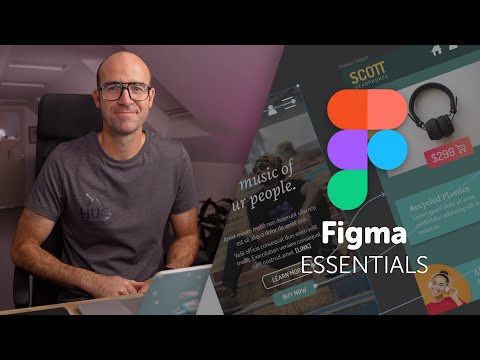
A free beginner course from Dan Scott at Bring Your Own Laptop that takes you through a whole UX/UI project in Figma, from writing a brief and wireframing to icons, plugins, prototyping and testing on your phone. It is long (about 3 hours) and optional: take it when you want hands-on Figma practice after the core lessons.
Watch on YouTube: Free Figma UX Design UI Essentials Course (opens in a new tab)


Search and sort within Design Foundations
Sign in to mark lessons complete and see how far through you are.