For newcomers who want a gentle first step into 3D design. You will be able to build a simple 3D scene, try 3D transforms in Figma, and model a basic product shot in Blender.
6 videos · 2 hr 52 min
What you’ll learn
✓Choose between Spline, Figma and Blender for a first 3D project
✓Create and animate a simple 3D scene in Spline and export it for the web
✓Add a 3D transform and perspective to a layer in Figma
✓Generate a 3D object from a text prompt and use it in a design
✓Model, light and render a basic product shot in Blender
A roadmap for learning 3D design in Spline, a browser-based tool, using tutorials arranged in levels from beginner to advanced. It shows how skills connect across the levels and points to the Spline community and Discord for help and examples.
A beginner-friendly tour of Spline, a 3D design tool, covering scene creation and animation, 3D modelling and icons, and exporting work as a public URL, GIF, MP4 or embed for Notion and Webflow.
A Figma tutorial that walks through setting up a frame, adding 3D transforms, using the 3D toggle and perspective, and animating a 3D object with motion and a change of origin point. It is aimed at designers who are new to 3D in Figma.
Shows how to use Spline's AI text-to-3D generation to create 3D objects from prompts and images and use them in a web design. Aimed at web designers who want to try AI-generated 3D assets.
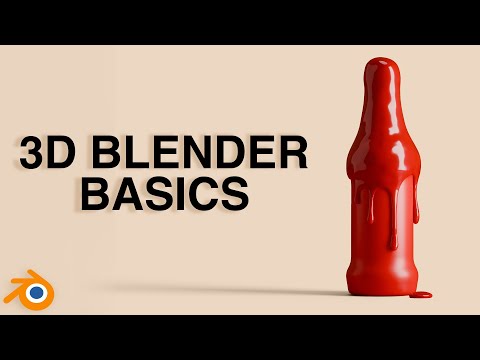
A 15-minute Blender tutorial that models a bottle, adds a liquid drip texture, and sets up materials, lighting and a camera for a product shot. It uses beginner-friendly tools and shortcuts.
A beginner course on Blender, the free 3D software, taught by designer Robin Ruud. It walks designers through modelling, materials, lighting and rendering with projects such as product mockups, packaging and an animated character.
This path is for designers new to 3D who want to build simple scenes and product shots. You will learn the basics of Blender, Spline, and Figma 3D, and make quick mockups for packaging and products.
;}.cls-2{fill:%2358d687;}.cls-3{fill:url(%23Degradado_sin_nombre_10);}.cls-4{fill:url(%23Degradado_sin_nombre_31);}.cls-5{fill:%238030d1;}.cls-6{fill:url(%23Degradado_sin_nombre_23);}%3c/style%3e%3clinearGradient%20id='Degradado_sin_nombre_17'%20x1='129.39'%20y1='83.35'%20x2='56.4'%20y2='162.54'%20gradientUnits='userSpaceOnUse'%3e%3cstop%20offset='0'%20stop-color='%23287d8c'/%3e%3cstop%20offset='1'%20stop-color='%2350b5db'/%3e%3c/linearGradient%3e%3clinearGradient%20id='Degradado_sin_nombre_10'%20x1='449.01'%20y1='190.97'%20x2='266.02'%20y2='78.2'%20gradientUnits='userSpaceOnUse'%3e%3cstop%20offset='0'%20stop-color='%23ffe286'/%3e%3cstop%20offset='1'%20stop-color='%23ffcd1d'/%3e%3c/linearGradient%3e%3clinearGradient%20id='Degradado_sin_nombre_31'%20x1='99.7'%20y1='309.69'%20x2='146.19'%20y2='485.35'%20gradientUnits='userSpaceOnUse'%3e%3cstop%20offset='0.01'%20stop-color='%23ff9464'/%3e%3cstop%20offset='1'%20stop-color='%23b3553a'/%3e%3c/linearGradient%3e%3clinearGradient%20id='Degradado_sin_nombre_23'%20x1='547.05'%20y1='208.96'%20x2='252.56'%20y2='438.86'%20gradientUnits='userSpaceOnUse'%3e%3cstop%20offset='0'%20stop-color='%23ff7da1'/%3e%3cstop%20offset='1'%20stop-color='%23f20b4f'/%3e%3c/linearGradient%3e%3c/defs%3e%3ctitle%3efavicon%3c/title%3e%3cg%20id='_Group_'%20data-name='<Group>'%3e%3cg%20id='_Group_2'%20data-name='<Group>'%3e%3cg%20id='_Group_3'%20data-name='<Group>'%3e%3cpath%20id='_Path_'%20data-name='<Path>'%20class='cls-1'%20d='M232.54,165.43a124.47,124.47,0,0,1-106.95,60.76h0A101.77,101.77,0,0,1,23.82,124.41V0L132.31,95.94A517.46,517.46,0,0,0,232.54,165.43Z'/%3e%3cpath%20id='_Path_2'%20data-name='<Path>'%20class='cls-2'%20d='M250,0V101.78a123.87,123.87,0,0,1-17.46,63.65A517.46,517.46,0,0,1,132.31,95.94L23.82,0Z'/%3e%3cpath%20id='_Path_3'%20data-name='<Path>'%20class='cls-3'%20d='M476.18,226.19a518.87,518.87,0,0,1-243.64-60.76A123.87,123.87,0,0,0,250,101.78V0A226.12,226.12,0,0,1,476.18,226.19Z'/%3e%3cpath%20id='_Path_4'%20data-name='<Path>'%20class='cls-4'%20d='M232.54,334.57a517.71,517.71,0,0,0-100.23,69.54L23.82,500V375.59A101.77,101.77,0,0,1,125.59,273.81h0A124.47,124.47,0,0,1,232.54,334.57Z'/%3e%3cpath%20id='_Path_5'%20data-name='<Path>'%20class='cls-5'%20d='M250,398.22V500H23.82l108.49-95.89a517.71,517.71,0,0,1,100.23-69.54A123.87,123.87,0,0,1,250,398.22Z'/%3e%3cpath%20id='_Path_6'%20data-name='<Path>'%20class='cls-6'%20d='M476.18,273.81A226.12,226.12,0,0,1,250,500V398.22a123.87,123.87,0,0,0-17.46-63.65A518.87,518.87,0,0,1,476.18,273.81Z'/%3e%3c/g%3e%3c/g%3e%3c/g%3e%3c/svg%3e)