You will learn to design logos in Illustrator, using shape tools, grids, and negative space. This path is for beginners and intermediate learners who want to improve their graphic design skills.
9 lessons · 1 hr 40 min, plus 1 optional (8 min more with the optional lessons)
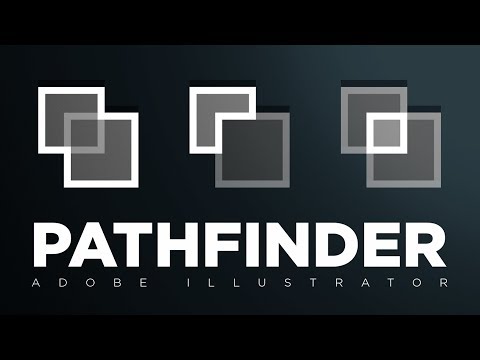
Start here: Opens with Pathfinder, the shape-combining skill that most later logo builds rely on.
A step-by-step walkthrough of each Pathfinder option in Adobe Illustrator, explaining what Add, Intersect, Exclude, Subtract, Divide, Trim, Merge, Crop and Outline do to shapes. Useful for designers learning the tool.
Adds negative space to the shape and Pathfinder skills, a core logo technique, and shows a sketch-to-vector process.
A walkthrough in Adobe Illustrator of the process for making a negative space logo, following the steps the creator used for two logo designs. Aimed at designers learning logo construction in the tool.
A relaxed beginner project in which the designer sketches ideas and picks colours and type, applying the process on their own.
A graphic designer works through designing a logo and brand for a gym, shown as a casual, for-fun project. The video suits viewers who want to see a logo design process from start to finish.
First intermediate step: refreshing an existing logo, including handling logos supplied as JPGs.
Shows how to give an outdated logo a quick facelift in Adobe Illustrator without a full brand overhaul, and how to handle logos supplied only as JPGs where colours, sizing and background removal are hard to edit. Aimed at designers working with small business clients.
Builds a full brand from one random word, extending a logo into type, colour and mock-ups.
A designer builds a complete brand identity from a randomly chosen word, covering the logo, typography, colour palette, graphic elements and illustration mock-ups within a two-hour limit. The video is an entertaining, time-boxed brand design process rather than a formal tutorial.
A case study from brand discovery and moodboards to a final identity system, ready for the presentation step.
A logo and brand identity designer walks through their design process for JOR, a personal AI assistant, from brand discovery and brainstorming to the final visual identity. It shares tips for designers working on their own brand identity projects.
Closes the path with logo variations, mockups and a PDF client presentation, the hardest and final step.
Shows how to build a generic logo design, create logo variations, and assemble a client presentation using PSD mockups, then export it as a PDF. Aimed at designers who already design logos and want to present their work.
For complete beginners who want to build the core habits of graphic design and apply them to posters and ads. You will learn to plan with purpose, choose colour and layout deliberately, and create simple, clear designs.
For beginners who want to understand branding beyond the logo and take a first brand project from references through to a printed touchpoint and a first look at guidelines. Each step adds one more piece of the identity.
For beginners who want to design logos from scratch. You will learn the main logo types, the principles behind a strong mark, and a full start-to-finish logo process in Adobe Illustrator.
For designers and content specialists ready to move beyond single assets, this path shows how to build, scale and govern brand identity systems using real company cases and guidelines.
;}.cls-2{fill:%2358d687;}.cls-3{fill:url(%23Degradado_sin_nombre_10);}.cls-4{fill:url(%23Degradado_sin_nombre_31);}.cls-5{fill:%238030d1;}.cls-6{fill:url(%23Degradado_sin_nombre_23);}%3c/style%3e%3clinearGradient%20id='Degradado_sin_nombre_17'%20x1='129.39'%20y1='83.35'%20x2='56.4'%20y2='162.54'%20gradientUnits='userSpaceOnUse'%3e%3cstop%20offset='0'%20stop-color='%23287d8c'/%3e%3cstop%20offset='1'%20stop-color='%2350b5db'/%3e%3c/linearGradient%3e%3clinearGradient%20id='Degradado_sin_nombre_10'%20x1='449.01'%20y1='190.97'%20x2='266.02'%20y2='78.2'%20gradientUnits='userSpaceOnUse'%3e%3cstop%20offset='0'%20stop-color='%23ffe286'/%3e%3cstop%20offset='1'%20stop-color='%23ffcd1d'/%3e%3c/linearGradient%3e%3clinearGradient%20id='Degradado_sin_nombre_31'%20x1='99.7'%20y1='309.69'%20x2='146.19'%20y2='485.35'%20gradientUnits='userSpaceOnUse'%3e%3cstop%20offset='0.01'%20stop-color='%23ff9464'/%3e%3cstop%20offset='1'%20stop-color='%23b3553a'/%3e%3c/linearGradient%3e%3clinearGradient%20id='Degradado_sin_nombre_23'%20x1='547.05'%20y1='208.96'%20x2='252.56'%20y2='438.86'%20gradientUnits='userSpaceOnUse'%3e%3cstop%20offset='0'%20stop-color='%23ff7da1'/%3e%3cstop%20offset='1'%20stop-color='%23f20b4f'/%3e%3c/linearGradient%3e%3c/defs%3e%3ctitle%3efavicon%3c/title%3e%3cg%20id='_Group_'%20data-name='<Group>'%3e%3cg%20id='_Group_2'%20data-name='<Group>'%3e%3cg%20id='_Group_3'%20data-name='<Group>'%3e%3cpath%20id='_Path_'%20data-name='<Path>'%20class='cls-1'%20d='M232.54,165.43a124.47,124.47,0,0,1-106.95,60.76h0A101.77,101.77,0,0,1,23.82,124.41V0L132.31,95.94A517.46,517.46,0,0,0,232.54,165.43Z'/%3e%3cpath%20id='_Path_2'%20data-name='<Path>'%20class='cls-2'%20d='M250,0V101.78a123.87,123.87,0,0,1-17.46,63.65A517.46,517.46,0,0,1,132.31,95.94L23.82,0Z'/%3e%3cpath%20id='_Path_3'%20data-name='<Path>'%20class='cls-3'%20d='M476.18,226.19a518.87,518.87,0,0,1-243.64-60.76A123.87,123.87,0,0,0,250,101.78V0A226.12,226.12,0,0,1,476.18,226.19Z'/%3e%3cpath%20id='_Path_4'%20data-name='<Path>'%20class='cls-4'%20d='M232.54,334.57a517.71,517.71,0,0,0-100.23,69.54L23.82,500V375.59A101.77,101.77,0,0,1,125.59,273.81h0A124.47,124.47,0,0,1,232.54,334.57Z'/%3e%3cpath%20id='_Path_5'%20data-name='<Path>'%20class='cls-5'%20d='M250,398.22V500H23.82l108.49-95.89a517.71,517.71,0,0,1,100.23-69.54A123.87,123.87,0,0,1,250,398.22Z'/%3e%3cpath%20id='_Path_6'%20data-name='<Path>'%20class='cls-6'%20d='M476.18,273.81A226.12,226.12,0,0,1,250,500V398.22a123.87,123.87,0,0,0-17.46-63.65A518.87,518.87,0,0,1,476.18,273.81Z'/%3e%3c/g%3e%3c/g%3e%3c/g%3e%3c/svg%3e)