;}.cls-2{fill:%2358d687;}.cls-3{fill:url(%23Degradado_sin_nombre_10);}.cls-4{fill:url(%23Degradado_sin_nombre_31);}.cls-5{fill:%238030d1;}.cls-6{fill:url(%23Degradado_sin_nombre_23);}%3c/style%3e%3clinearGradient%20id='Degradado_sin_nombre_17'%20x1='129.39'%20y1='83.35'%20x2='56.4'%20y2='162.54'%20gradientUnits='userSpaceOnUse'%3e%3cstop%20offset='0'%20stop-color='%23287d8c'/%3e%3cstop%20offset='1'%20stop-color='%2350b5db'/%3e%3c/linearGradient%3e%3clinearGradient%20id='Degradado_sin_nombre_10'%20x1='449.01'%20y1='190.97'%20x2='266.02'%20y2='78.2'%20gradientUnits='userSpaceOnUse'%3e%3cstop%20offset='0'%20stop-color='%23ffe286'/%3e%3cstop%20offset='1'%20stop-color='%23ffcd1d'/%3e%3c/linearGradient%3e%3clinearGradient%20id='Degradado_sin_nombre_31'%20x1='99.7'%20y1='309.69'%20x2='146.19'%20y2='485.35'%20gradientUnits='userSpaceOnUse'%3e%3cstop%20offset='0.01'%20stop-color='%23ff9464'/%3e%3cstop%20offset='1'%20stop-color='%23b3553a'/%3e%3c/linearGradient%3e%3clinearGradient%20id='Degradado_sin_nombre_23'%20x1='547.05'%20y1='208.96'%20x2='252.56'%20y2='438.86'%20gradientUnits='userSpaceOnUse'%3e%3cstop%20offset='0'%20stop-color='%23ff7da1'/%3e%3cstop%20offset='1'%20stop-color='%23f20b4f'/%3e%3c/linearGradient%3e%3c/defs%3e%3ctitle%3efavicon%3c/title%3e%3cg%20id='_Group_'%20data-name='<Group>'%3e%3cg%20id='_Group_2'%20data-name='<Group>'%3e%3cg%20id='_Group_3'%20data-name='<Group>'%3e%3cpath%20id='_Path_'%20data-name='<Path>'%20class='cls-1'%20d='M232.54,165.43a124.47,124.47,0,0,1-106.95,60.76h0A101.77,101.77,0,0,1,23.82,124.41V0L132.31,95.94A517.46,517.46,0,0,0,232.54,165.43Z'/%3e%3cpath%20id='_Path_2'%20data-name='<Path>'%20class='cls-2'%20d='M250,0V101.78a123.87,123.87,0,0,1-17.46,63.65A517.46,517.46,0,0,1,132.31,95.94L23.82,0Z'/%3e%3cpath%20id='_Path_3'%20data-name='<Path>'%20class='cls-3'%20d='M476.18,226.19a518.87,518.87,0,0,1-243.64-60.76A123.87,123.87,0,0,0,250,101.78V0A226.12,226.12,0,0,1,476.18,226.19Z'/%3e%3cpath%20id='_Path_4'%20data-name='<Path>'%20class='cls-4'%20d='M232.54,334.57a517.71,517.71,0,0,0-100.23,69.54L23.82,500V375.59A101.77,101.77,0,0,1,125.59,273.81h0A124.47,124.47,0,0,1,232.54,334.57Z'/%3e%3cpath%20id='_Path_5'%20data-name='<Path>'%20class='cls-5'%20d='M250,398.22V500H23.82l108.49-95.89a517.71,517.71,0,0,1,100.23-69.54A123.87,123.87,0,0,1,250,398.22Z'/%3e%3cpath%20id='_Path_6'%20data-name='<Path>'%20class='cls-6'%20d='M476.18,273.81A226.12,226.12,0,0,1,250,500V398.22a123.87,123.87,0,0,0-17.46-63.65A518.87,518.87,0,0,1,476.18,273.81Z'/%3e%3c/g%3e%3c/g%3e%3c/g%3e%3c/svg%3e)
Practical Instructional Design Workflow
For intermediate instructional designers who want to run a project from ADDIE through SME collaboration to choosing formats and tools. You will be able to plan, communicate and deliver a workflow.
What you’ll learn
- Map a course project onto the ADDIE phases and assign roles across the team
- Run a project kickoff and scope the work, handling changing stakeholder requests
- Write clear review requests and turn vague SME feedback into actionable tasks
- Choose an eLearning format that fits the content and keeps learners engaged
- Pick a practical toolset, including generative AI, for an instructional design workflow
Lessons
Enilda Romero-Hall 1 hr 33 min Intermediate
Start here: the ADDIE phases and a team workflow give you a frame for every video that follows.
A guest speaker explains how instructional designers use a systematic workflow based on the ADDIE model, covering its five phases, a custom project workflow and the roles of team members. It is aimed at people who develop courses, modules and other learning assets as part of a team.
- Lesson 2:
Instructional Design Case Studies in My New Book | Writing The Instructional Design Handbook (Ep. 5)
The eLearning Designer's Academy by Tim Slade 13 min Intermediate
Adds needs analysis in a worked scenario, showing how stakeholders, SMEs and designers work together.
The video walks through how the author designed a scenario-based case study for The Instructional Design Handbook, following a fictional company through a project from stakeholder request to needs analysis and learning solution. It is aimed at people who want to see how instructional design theory plays out inside organisations.
The eLearning Designer's Academy by Tim Slade 2 min Intermediate
Turns the workflow into project management: kickoff, scoping, dependencies and changing requests.
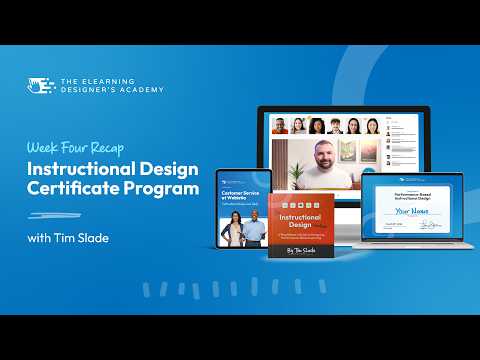
Shows Week 4 of an eight-week instructional design certificate program, covering how to manage an ID project from kickoff through scoping, dependencies and scope creep. Aimed at new instructional designers, career changers and L&D teams, and applied to a running case study.
Anna Poli 12 min Intermediate
Adds SME and stakeholder communication, showing how to request context, give specific feedback and get approval.
Five messages for instructional designers to use with subject-matter experts, covering requesting context, specific feedback, clarifying vague comments, following up and getting final approval. It is aimed at designers who already run stakeholder review cycles.
Anna Poli 16 min Intermediate
Moves into design and development by comparing seven eLearning formats and when each one fits.
The video walks through seven eLearning formats meant to keep learners engaged, including gamified courses, branching scenarios, microlearning, knowledge checks, video-narrated learning, screencast tutorials and interactive infographics. For each format it explains what it is, when to use it, its pros and cons, and an example.
Anna Poli 9 min Intermediate
Closes with the day-to-day tools, including generative AI, used to build the formats just covered.
A walkthrough of the software one instructional designer uses day to day, from Microsoft 365 and Google Workspace to Figma, generative AI and NotebookLM. It is organised as a tool-by-tool tour of an instructional design workflow.
Open Education Network 58 min Intermediate
Optional longer discussion on defining learning outcomes and student-centred, inclusive development for OER work.
A follow-up office hours discussion on designing and developing open educational resources with students and equity at the centre. It covers defining student learning outcomes at the start, considering students' diverse experiences when developing content, and using those outcomes as a guide during writing and publishing.




Keep going
Search and sort within Practical Instructional Design Workflow