IxDF - Interaction Design Foundation · 2 min · Beginner
Start here: introduces human-computer interaction and human-centred design, the base for every later step.
An introduction to human-computer interaction as the foundation of UX design, covering human psychology, human-centered design and interaction design processes. The course is aimed at UX designers, project managers, engineers and newcomers, and includes a portfolio project building interaction design case studies.
Adds an overview of the main user research methods, so you know which ones to reach for before learning tools.
An introductory lecture from an IIT Guwahati design course on user research methods. The description gives only the course link and instructor, so the specific methods covered are not stated.
Gives a quick orientation to Figma, the tool the prototyping videos rely on.
An introduction to Figma, a design tool for creating websites, mobile apps and prototypes, covering its user interface and how it differs from other design tools. It is aimed at beginners.
Introduces hands-on prototyping in Figma: frames, connections and how to view a prototype.
Introduces the basics of prototyping in Figma, including what a prototype is, how to set up the first prototyping connections, and how to view them. Part of a three-week series on using Figma as a product person.
Adds the Jobs-to-be-Done framework, showing what customers are trying to get done to guide product structure.
Explains the Jobs-to-Be-Done framework using Clayton Christensen's milkshake case study, covering functional, emotional and social jobs, hidden competitors and the four forces of progress. It is aimed at product managers who want to understand customer motivation beyond demographics.
Goes deeper into Jobs-to-be-Done, with techniques for uncovering struggling moments and the progress customers want.
Bob Moesta's talk at the Just Product Conference covers Jobs-to-be-Done techniques for uncovering customers' struggling moments and the progress they are trying to make. It is aimed at product managers who want deeper customer insight, with case studies.
Shows how to map the steps and tasks of a user flow, which the prototypes then build on.
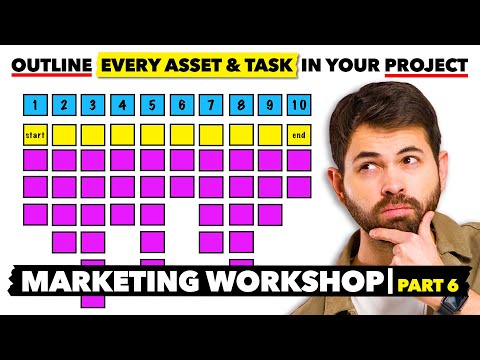
A walkthrough of a modified User Test Flow exercise from the Design Sprint, showing a team how to map every asset and task a campaign or project needs. It is part of a marketing workshop series and is aimed at people who run or join workshops.
Extends basic prototyping to multi-flow prototypes and walking others through them.
A Figma office-hours livestream in which designers walk through adding videos to prototypes, building and editing multi-flow prototypes, and bringing others along. Two community members demo how they use the new prototyping features.
Looks at advanced prototyping features and how prototyping in the tool has developed.
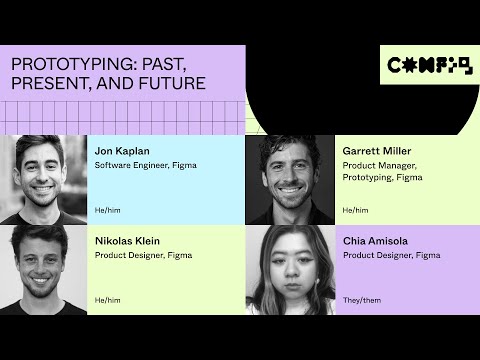
A Config 2023 session from members of Figma's Prototyping team on the advanced prototyping features announced at the conference, covering how prototyping has developed in the tool. It is aimed at designers who already use Figma.
Closes the path by testing a Figma prototype with users, linking prototyping back to research.
The video's title says it shows how to test Figma prototypes with users, using the Useberry user-testing tool. The description is promotional and gives no steps, so the exact method is not described.
For beginners who want to understand interface design and build simple screens in Figma. You will be able to choose colours and type, lay out screens clearly, and polish a design.
For beginners who want to understand UX research and run a first user interview or usability test. You will be able to choose a suitable method, plan a short study and make sense of what you find.
For complete beginners who want a clear map of UX, from core ideas and research methods to wireframes and basic UI choices. You will be able to explain UX and run simple research and reviews.
This path is for beginners who want to learn the Figma editor by building real screens. You will move from the editor basics to auto layout, components, styles, variables and exporting assets for handoff.
;}.cls-2{fill:%2358d687;}.cls-3{fill:url(%23Degradado_sin_nombre_10);}.cls-4{fill:url(%23Degradado_sin_nombre_31);}.cls-5{fill:%238030d1;}.cls-6{fill:url(%23Degradado_sin_nombre_23);}%3c/style%3e%3clinearGradient%20id='Degradado_sin_nombre_17'%20x1='129.39'%20y1='83.35'%20x2='56.4'%20y2='162.54'%20gradientUnits='userSpaceOnUse'%3e%3cstop%20offset='0'%20stop-color='%23287d8c'/%3e%3cstop%20offset='1'%20stop-color='%2350b5db'/%3e%3c/linearGradient%3e%3clinearGradient%20id='Degradado_sin_nombre_10'%20x1='449.01'%20y1='190.97'%20x2='266.02'%20y2='78.2'%20gradientUnits='userSpaceOnUse'%3e%3cstop%20offset='0'%20stop-color='%23ffe286'/%3e%3cstop%20offset='1'%20stop-color='%23ffcd1d'/%3e%3c/linearGradient%3e%3clinearGradient%20id='Degradado_sin_nombre_31'%20x1='99.7'%20y1='309.69'%20x2='146.19'%20y2='485.35'%20gradientUnits='userSpaceOnUse'%3e%3cstop%20offset='0.01'%20stop-color='%23ff9464'/%3e%3cstop%20offset='1'%20stop-color='%23b3553a'/%3e%3c/linearGradient%3e%3clinearGradient%20id='Degradado_sin_nombre_23'%20x1='547.05'%20y1='208.96'%20x2='252.56'%20y2='438.86'%20gradientUnits='userSpaceOnUse'%3e%3cstop%20offset='0'%20stop-color='%23ff7da1'/%3e%3cstop%20offset='1'%20stop-color='%23f20b4f'/%3e%3c/linearGradient%3e%3c/defs%3e%3ctitle%3efavicon%3c/title%3e%3cg%20id='_Group_'%20data-name='<Group>'%3e%3cg%20id='_Group_2'%20data-name='<Group>'%3e%3cg%20id='_Group_3'%20data-name='<Group>'%3e%3cpath%20id='_Path_'%20data-name='<Path>'%20class='cls-1'%20d='M232.54,165.43a124.47,124.47,0,0,1-106.95,60.76h0A101.77,101.77,0,0,1,23.82,124.41V0L132.31,95.94A517.46,517.46,0,0,0,232.54,165.43Z'/%3e%3cpath%20id='_Path_2'%20data-name='<Path>'%20class='cls-2'%20d='M250,0V101.78a123.87,123.87,0,0,1-17.46,63.65A517.46,517.46,0,0,1,132.31,95.94L23.82,0Z'/%3e%3cpath%20id='_Path_3'%20data-name='<Path>'%20class='cls-3'%20d='M476.18,226.19a518.87,518.87,0,0,1-243.64-60.76A123.87,123.87,0,0,0,250,101.78V0A226.12,226.12,0,0,1,476.18,226.19Z'/%3e%3cpath%20id='_Path_4'%20data-name='<Path>'%20class='cls-4'%20d='M232.54,334.57a517.71,517.71,0,0,0-100.23,69.54L23.82,500V375.59A101.77,101.77,0,0,1,125.59,273.81h0A124.47,124.47,0,0,1,232.54,334.57Z'/%3e%3cpath%20id='_Path_5'%20data-name='<Path>'%20class='cls-5'%20d='M250,398.22V500H23.82l108.49-95.89a517.71,517.71,0,0,1,100.23-69.54A123.87,123.87,0,0,1,250,398.22Z'/%3e%3cpath%20id='_Path_6'%20data-name='<Path>'%20class='cls-6'%20d='M476.18,273.81A226.12,226.12,0,0,1,250,500V398.22a123.87,123.87,0,0,0-17.46-63.65A518.87,518.87,0,0,1,476.18,273.81Z'/%3e%3c/g%3e%3c/g%3e%3c/g%3e%3c/svg%3e)