Learning path

3D-Style Design in Figma and Illustrator

For designers who want 3D-style illustrations, icons, logos and type without a 3D app. You will learn to add depth in Figma and Illustrator, moving from simple shapes to finished projects.

What you’ll learn

  • Create 3D-looking shapes and icons in Figma using transforms, shadows and blurs
  • Use Illustrator's Revolve, Extrude, 3D Rotate and Inflate tools on simple objects
  • Build 3D-style logos from flat vectors using Pathfinder, Smart Guides and gradients
  • Make 3D tube and isometric type effects with the Blend and Pen tools

Lessons

  1. DesignCode 12 min Beginner

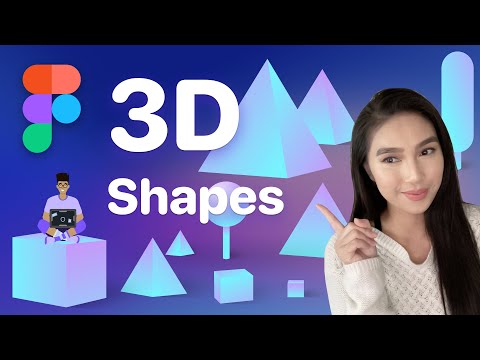
    Start here: basic 3D-looking shapes in Figma using transforms and vector tools, introducing the idea of depth from flat shapes.

    A Figma tutorial showing how to create 3D-looking shapes for illustrations using the tool's vector and transform features. It suits designers who want to add simple dimensional effects to their artwork.

  2. DesignOS 5 min Beginner

    Adds a quick icon treatment: turn a simple SVG icon into a 3D glass-style icon using frames and effects.

    A step-by-step Figma tutorial showing how to turn simple SVG icons into 3D glass-style icons using frames, layout grids and effects. It suits designers who want a modern, sleek icon treatment and can follow along in Figma.

  3. Malewicz 21 min Beginner

    Builds a full 3D-look illustration from basic shapes, adding shadows, inner shadows, gradients and blurs.

    Shows how to create simple 3D-style illustrations in Figma using basic shapes, shadows, inner shadows, gradients and blurs. Aimed at designers who want to build visual illustration skills alongside UI work.

  4. Bring Your Own Laptop 12 min Beginner

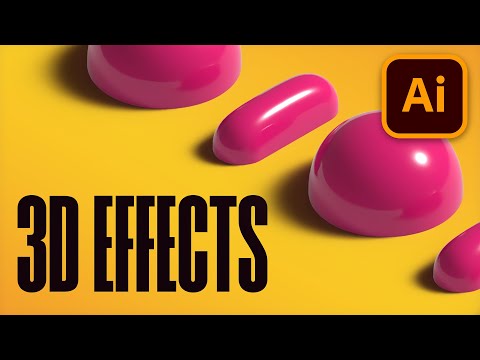
    Moves into Illustrator's own 3D tools: Revolve, Extrude and 3D Rotate, which the later Illustrator videos rely on.

    An introduction to creating 3D objects in Adobe Illustrator, showing the Revolve, Extrude and 3D Rotate tools. It is aimed at designers who want to start working in 3D within Illustrator.

  5. Paola Kassa 7 min Beginner

    Applies the Inflate effect to type for quick 3D-style letters with metallic and balloon looks.

    A tutorial showing how to use the Inflate effect in Adobe Illustrator to create inflated, metallic and balloon-style letters and 3D-looking posters. It is followed by a relaxed design session that applies the technique.

  6. Design Pilot 34 min Intermediate

    Goes deeper in Figma with inner shadow, layer blur and background blur for fuller illustrations.

    Shows how to create 3D-style illustrations in Figma using layer effects such as inner shadow, layer blur and background blur. Suited to designers who already use Figma.

  7. tutvid 24 min Intermediate

    Builds a 3D logo from a grid using Smart Guides and Pathfinder, with gradients and no 3D tools.

    This Adobe Illustrator tutorial shows how to build a 3D grid with shape tools, strokes and Smart Guides, then trim it with Pathfinder into cells that form the faces of a 3D object. It suits designers who already work in Illustrator and want a vector technique for 3D-style logos.

  8. tutvid 26 min Intermediate

    Introduces the Blend tool to build a letter-by-letter 3D tube script, a more demanding type treatment.

    A tutorial on building a 3D tube-style text effect in Adobe Illustrator with the Blend Tool, Pen or Pencil tool, Pathfinder and gradients. It shows how to split a typeface into letters and apply the effect to each one.

  9. tutvid 26 min Intermediate

    Final project: an isometric 3D text effect using the Pen tool, gradients, blend modes and grain.

    Shows how to turn flat text into a 3D isometric typographic effect in Adobe Illustrator, using the Pen Tool and Smart Guides to build inner and outer letter edges. It then applies colours, gradients, masking, vector grain and blend modes. Suited to designers who already work in Illustrator.

  10. Will Paterson 7 min Beginner

    Optional extra: a short Illustrator 3D objects video for more practice, though its steps are not detailed.

    A tutorial showing how to create realistic 3D objects in Adobe Illustrator. The description gives little detail beyond the title, so the steps are not specified.

  11. Spoon Graphics 9 min Intermediate

    Optional extra: a short Memphis-style 3D vector exercise that reinforces gradient overlays for depth.

    A step-by-step Adobe Illustrator tutorial for creating colourful 3D-style vector art based on 1980s Memphis geometric shapes and squiggly lines, with gradient overlays for a modern look. It suits designers who already use Illustrator and want a graphic style technique.

When you've finished

Next path: Intermediate 3D Design for Web and Product Work (Intermediate)

All paths in 3D Design

Search and sort within 3D-Style Design in Figma and Illustrator

All paths
  • Learning pathBeginner3D Design

    Beginner Path to 3D Design Tools

    This path is for designers new to 3D who want to build simple scenes and product shots. You will learn the basics of Blender, Spline, and Figma 3D, and make quick mockups for packaging and products.

    7 lessons · 71 min, plus 2 optional

  • Learning pathIntermediateIndustrial Design

    Industrial Design: Sketch to SolidWorks to KeyShot

    For intermediate students in years 2 and 3 of industrial design. You will take a concept from hand sketch through SolidWorks modelling to a KeyShot render, with basic plastic design guidance.

    4 lessons · 48 min, plus 1 optional

  • Learning pathBeginner → Intermediate3D Design

    Modelling and Rendering a 3D Character in Blender

    This path is for beginners who want to model, texture, light and render a complete 3D character in Blender. It then extends the character with procedural hair, projection and HDRI lighting.

    7 lessons · 5 hr 5 min, plus 1 optional

  • Learning pathBeginner → Intermediate3D Design

    Learning Cinema 4D Lite to Low-Poly Animated Scenes

    For beginners who want to learn 3D in the free Cinema 4D Lite edition. You will model objects, add materials and lighting, then animate low-poly scenes.

    7 lessons · 2 hr 58 min, plus 2 optional