Learning path

Building Responsive No-Code Websites in Framer

For beginners who want to build a full website in Framer without code, then add CMS content, animation and AI-assisted editing. You will be able to publish a responsive site and collect visitor sign-ups.

What you’ll learn

  • Build and publish a responsive multi-page Framer site with breakpoints and components
  • Set up a CMS collection and connect its content to a page
  • Add animations, page transitions and a customised animated component
  • Collect emails or form data from visitors through Framer
  • Use Framer's AI agents to plan, restyle and safely redesign a site

Lessons

  1. Caler Edwards 14 min Beginner

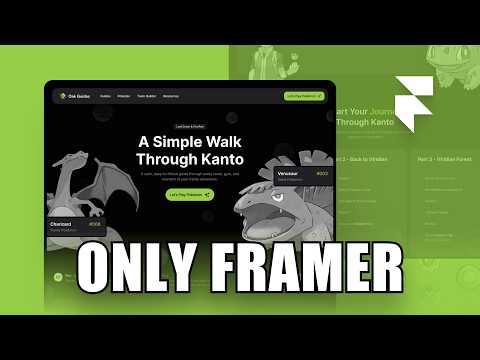
    Start here: see a complete no-code landing page built in Framer so you know the finished shape before the details.

    The video walks through building a full landing page in Framer without code, starting from its Design Pages. It suits viewers who want to see a complete no-code website built from start to finish.

  2. Kevin Kwok 39 min Beginner

    Adds the core build: hero section, responsive navigation, breakpoints, components and first animations.

    A beginner tutorial that walks through building a responsive website in Framer, covering the hero section, a responsive navigation bar, components and animations. It is aimed at people new to Framer who want to make a simple no-code site.

  3. Caler Edwards 9 min Beginner

    Introduces the CMS with a simple collection and a sidebar that stays connected to it.

    This tutorial shows how to set up a collection in Framer's CMS, style a page, and add a sidebar that stays connected to the CMS. It is aimed at people who are new to Framer and no-code website building.

  4. Average Design Dude 33 min Beginner

    Applies the basics to a full portfolio: Figma import, button interactions, carousels, tickers and publishing.

    A step-by-step Framer tutorial on importing a Figma portfolio design, adding button interactions, carousels, tickers and animations, then publishing the site with pages and navigation. It is aimed at designers building their first animated portfolio website.

  5. Build With Fede 10 min Beginner

    Adds an email input connected to a provider such as Mailchimp, plus a success page.

    Shows how to add Framer's input field feature to a landing page to collect emails, customize its interface and link it to email providers such as Mailchimp, Formspark, Waitlist and Loops. Also covers an overlay and a success page for after a visitor submits.

  6. AM Design 12 min Beginner

    Optional: sends custom form data from your Framer site to a Google Sheet using a short Apps Script.

    Shows how to send form data from a Framer website to a Google Sheet using a custom form and a short Google Apps Script. Useful for designers who want to collect responses from a site they build without writing a backend.

  7. Caler Edwards 11 min Intermediate

    First intermediate step: page transitions between the pages of a multi-page Framer site.

    Shows how to create page transitions for a website built in Framer, as part 7 of a Framer course. Suited to designers who already use Framer and want to add animated transitions between pages.

  8. Edward Chechique 3 min Intermediate

    Shows how to customise a reusable animated typing component, moving from using components to tuning them.

    A quick demo of a customizable typing-effect component built in Framer for portfolio pages. It walks through the text, typography, typing speed, cursor and blink settings, and it is aimed at designers who already use Framer.

  9. AI Tooltip 11 min Intermediate

    Brings in Framer's AI agents for a project plan, style guide, home page, CMS build and SEO checks.

    The video shows how to build a complete website from scratch in Framer using AI agents, covering the project plan, style guide, home page, hero UI and animation, CMS, an external agent, and SEO and performance. It is aimed at designers who want to plan, build and publish a site inside one visual workspace.

  10. Cecilia Kim 9 min Intermediate

    Applies AI and a site audit to a real landing page redesign, the capstone of the required videos.

    A freelance product designer walks through a full landing page redesign in Framer, covering a site audit, AI-built text and color styles, an integrations section, updated screenshots and copy, a new feature page, and responsive layouts built with branching. It suits designers who already work in Framer and want to see a real redesign workflow.

  11. Lukas Margerie 21 min Intermediate

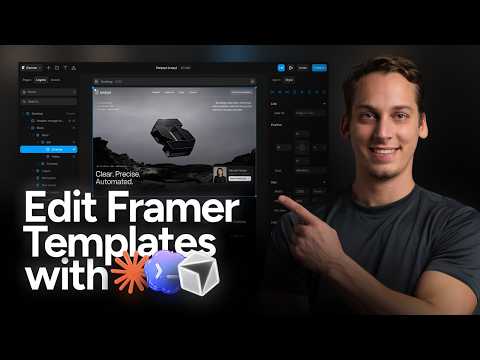
    Optional advanced step: connects external AI agents like Cursor or Claude Code to restyle a template.

    A walkthrough of connecting Framer's external AI agents to Cursor, Claude Code or Codex to redesign the Sanjaya marketplace template into a client site. It covers copy transfer, section restructuring, restyling, CMS migration, forms with a Notion and Vercel webhook, and an SEO audit. It is aimed at people who build in Framer and want to remix templates faster.

When you've finished

Next path: No-Code Website Building: Production Workflows (Intermediate)

All paths in Web Design

Search and sort within Building Responsive No-Code Websites in Framer

All paths
  • Learning pathBeginner → IntermediatePrototyping

    Building Your First Clickable Prototype in Figma

    For designers new to prototyping who want to turn static screens into a clickable, presentable flow. You will connect frames, add scrolling and motion, and present your work.

    5 lessons · 46 min, plus 1 optional

  • Learning pathBeginnerMotion Design

    Learning Figma Motion and Smart Animate from Scratch

    For beginners who want to add motion to Figma prototypes. You will be able to build clickable flows, create Smart Animate transitions, and animate layers and icons on the timeline before exporting.

    5 lessons · 78 min

  • Learning pathBeginnerWeb Design

    Building and publishing your first no-code website

    For designers and beginners who want to build a first website in Framer, Webflow or Wix Studio without writing code. You will learn the tool basics, lay out responsive pages and publish a site you can share.

    9 lessons · 2 hr 40 min, plus 1 optional

  • Learning pathIntermediateMotion Design

    Shipping Motion Design in Figma Product Work

    For designers who already animate basic UI in Figma and want to build reusable, production-ready motion. You will be able to use springs, componentised motion, team systems and Lottie handoff.

    6 lessons · 2 hr 4 min