;}.cls-2{fill:%2358d687;}.cls-3{fill:url(%23Degradado_sin_nombre_10);}.cls-4{fill:url(%23Degradado_sin_nombre_31);}.cls-5{fill:%238030d1;}.cls-6{fill:url(%23Degradado_sin_nombre_23);}%3c/style%3e%3clinearGradient%20id='Degradado_sin_nombre_17'%20x1='129.39'%20y1='83.35'%20x2='56.4'%20y2='162.54'%20gradientUnits='userSpaceOnUse'%3e%3cstop%20offset='0'%20stop-color='%23287d8c'/%3e%3cstop%20offset='1'%20stop-color='%2350b5db'/%3e%3c/linearGradient%3e%3clinearGradient%20id='Degradado_sin_nombre_10'%20x1='449.01'%20y1='190.97'%20x2='266.02'%20y2='78.2'%20gradientUnits='userSpaceOnUse'%3e%3cstop%20offset='0'%20stop-color='%23ffe286'/%3e%3cstop%20offset='1'%20stop-color='%23ffcd1d'/%3e%3c/linearGradient%3e%3clinearGradient%20id='Degradado_sin_nombre_31'%20x1='99.7'%20y1='309.69'%20x2='146.19'%20y2='485.35'%20gradientUnits='userSpaceOnUse'%3e%3cstop%20offset='0.01'%20stop-color='%23ff9464'/%3e%3cstop%20offset='1'%20stop-color='%23b3553a'/%3e%3c/linearGradient%3e%3clinearGradient%20id='Degradado_sin_nombre_23'%20x1='547.05'%20y1='208.96'%20x2='252.56'%20y2='438.86'%20gradientUnits='userSpaceOnUse'%3e%3cstop%20offset='0'%20stop-color='%23ff7da1'/%3e%3cstop%20offset='1'%20stop-color='%23f20b4f'/%3e%3c/linearGradient%3e%3c/defs%3e%3ctitle%3efavicon%3c/title%3e%3cg%20id='_Group_'%20data-name='<Group>'%3e%3cg%20id='_Group_2'%20data-name='<Group>'%3e%3cg%20id='_Group_3'%20data-name='<Group>'%3e%3cpath%20id='_Path_'%20data-name='<Path>'%20class='cls-1'%20d='M232.54,165.43a124.47,124.47,0,0,1-106.95,60.76h0A101.77,101.77,0,0,1,23.82,124.41V0L132.31,95.94A517.46,517.46,0,0,0,232.54,165.43Z'/%3e%3cpath%20id='_Path_2'%20data-name='<Path>'%20class='cls-2'%20d='M250,0V101.78a123.87,123.87,0,0,1-17.46,63.65A517.46,517.46,0,0,1,132.31,95.94L23.82,0Z'/%3e%3cpath%20id='_Path_3'%20data-name='<Path>'%20class='cls-3'%20d='M476.18,226.19a518.87,518.87,0,0,1-243.64-60.76A123.87,123.87,0,0,0,250,101.78V0A226.12,226.12,0,0,1,476.18,226.19Z'/%3e%3cpath%20id='_Path_4'%20data-name='<Path>'%20class='cls-4'%20d='M232.54,334.57a517.71,517.71,0,0,0-100.23,69.54L23.82,500V375.59A101.77,101.77,0,0,1,125.59,273.81h0A124.47,124.47,0,0,1,232.54,334.57Z'/%3e%3cpath%20id='_Path_5'%20data-name='<Path>'%20class='cls-5'%20d='M250,398.22V500H23.82l108.49-95.89a517.71,517.71,0,0,1,100.23-69.54A123.87,123.87,0,0,1,250,398.22Z'/%3e%3cpath%20id='_Path_6'%20data-name='<Path>'%20class='cls-6'%20d='M476.18,273.81A226.12,226.12,0,0,1,250,500V398.22a123.87,123.87,0,0,0-17.46-63.65A518.87,518.87,0,0,1,476.18,273.81Z'/%3e%3c/g%3e%3c/g%3e%3c/g%3e%3c/svg%3e)
Character Design: Proportions, Shapes and Vector Refinement
For beginners who want to design characters from simple shapes and proportions, then build and refine them in Illustrator. You will move from basic sketches to clean vector work and learn to critique your own designs.
What you’ll learn
- Break a character into simple shapes and basic proportions before sketching
- Build and colour a flat vector character in Illustrator with Pen and Shape Builder
- Turn a rough sketch into clean vector line art with organised layers
- Add flat shadows and highlights to give a character depth
- Spot and fix posing, expression and colour problems in your own character work
Lessons
- Lesson 1:
Introduction to character design for beginners with simple proportions and shapes explained_Arttutor
Arttutor 32 min Beginner
Start here: learn the basic shapes and proportions that every later video assumes.
An introductory lesson on character design for beginners, covering simple proportions and shapes used in animation, games and concept art. It suits people starting out in drawing characters.
Draw like a Sir 12 min Beginner
Applies those proportions in a short guided design, adding hair, clothing and colour.
A step-by-step tutorial on designing a character, from drawing the base and adding hair and clothes to choosing colours. It suits viewers who want a guided first pass at character drawing.
Dom Designs 7 min Beginner
Moves the shape-based approach into Illustrator with a simple cat, inking and layers.
A step-by-step Adobe Illustrator tutorial on drawing, inking and colouring cute kawaii cat characters. It uses basic shapes, the Shape Builder, the Pen tool, layer organisation and the Curvature tool, and suits people learning Illustrator.
Dom Designs 21 min Beginner
Extends Illustrator work to flat colour, shadows, highlights and a finished background.
A step-by-step Adobe Illustrator tutorial showing how to draw a flat design Fall Guys skin using simple shapes, the pen tool and the shape builder tool. It covers outlining the character, adding colour, shadows and highlights, and finishing with a background and shadow. It is aimed at beginner and intermediate graphic artists.
- Lesson 5:
Adobe illustrator tutorial : Fairy little cartoon animation character design for beginners_Arttutor
OptionalArttutor 2 hr 9 min Beginner
An optional long beginner build for more Illustrator practice before the intermediate step.
A beginner's Adobe Illustrator tutorial on drawing a cute fairy cartoon character for animation, walking through the character design steps. It is aimed at people new to Illustrator and to character illustration.
Dom Designs 12 min Intermediate
First intermediate step: trace a sketch into clean vector art, building on shape-making.
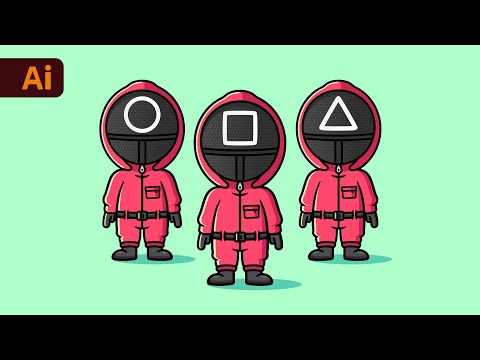
A step-by-step Adobe Illustrator tutorial that shows how to draw a Squid Game character, moving from a sketch to final vector art. It covers shapes, the Shape Builder, the Pen tool, layer organisation and the Curvature tool, and suits viewers who already know the basics of the software.
Genevieve's Design Studio 38 min Intermediate
Revisits shapes and proportions as a breakdown, then adds line art and shading in Procreate.
A Procreate tutorial that walks through drawing Ace the dog from The League of Super-Pets, covering character breakdown, sketching, outlines, colour and shading. It also shows Clipping Masks, the Multiply blending mode and Alpha Lock, and is aimed at illustrators and hobbyists with some drawing experience.
- Lesson 8:
Fixing YOUR Art! 7
Jackie Droujko 19 min Intermediate
Critiques other people's character work to show how to spot posing, expression and colour problems.
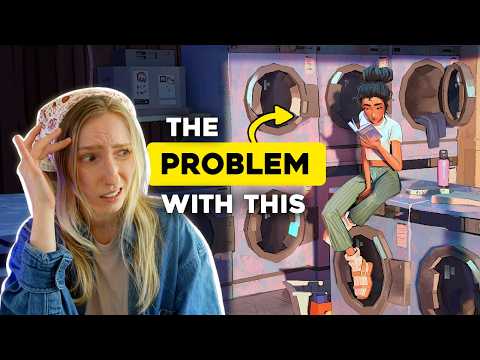
A professional character designer reviews submitted character artworks and suggests changes to posing, expressions, colour and composition. It is aimed at artists who already draw and want to strengthen their character art.
Jackie Droujko 12 min Intermediate
A short optional closer on fixing problems as you work, suited to the refine stage.
A professional character designer explains how the habit of leaving problems for later makes art worse, and how to fix them as you go.




Keep going
Search and sort within Character Design: Proportions, Shapes and Vector Refinement