Learning path

Design Process: From Brief to First Wireframes

For beginners in UI and UX who want to understand how design projects are structured. By the end you will be able to explain the main process frameworks and take a first project from a written brief through to low-fidelity wireframes.

What you’ll learn

  • Describe the UX design process stages and how Design Thinking frames them
  • Read a project brief and pull out its objective, audience, scope and tone
  • Build a moodboard that turns brief insights into visual direction
  • Sketch low-fidelity wireframes for an app or a website
  • Take a project from brief to first design and know when to iterate

Lessons

  1. Parallane 3 min Beginner

    Start here: what design is, framed as solving problems rather than decorating screens.

    An introductory episode of the Design Principles series that explains what design means, why it matters, and how designers approach solving problems. It is aimed at beginners in UI and UX design.

  2. Design & UX 12 min Beginner

    Adds the big picture: the main steps of the UX design process and the reasoning behind each one.

    A UX design student explains what the UX design process is, how many steps it has, and the concepts behind each step. It is aimed at people new to UX who want an overview before working through case studies.

  3. Figma with Shruti 13 min Beginner

    Adds the mindset behind design thinking in plain terms, ready for the staged models that follow.

    Walks through ideation methods for UI/UX design, including brainstorming, mind mapping, storyboarding and affinity mapping, with an explanation of why ideation matters. Aimed at beginners learning the early stages of design work in Figma.

  4. Rynardt Koen 12 min Beginner

    Adds the Double Diamond's diverge-and-converge rhythm and how-might-we framing for defining problems.

    A foundations lesson from the Iris: The Psychology of Design course covering design thinking as a mindset, the Double Diamond's diverge-and-converge rhythm, problem versus solution space, how-might-we questions and Lean UX, applied to a product timeline.

  5. WILP Wallah 11 min Beginner

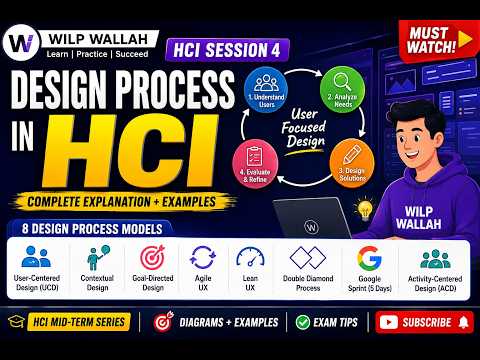
    Compares UCD, Agile UX, Lean UX, the Double Diamond and Google Sprint so you see several process models.

    A revision video that introduces design process models used in human-computer interaction, including User-Centered Design, Agile UX, Lean UX, the Double Diamond and the Google Sprint. It is aimed at students preparing for HCI exams.

  6. David Emulo 7 min Beginner

    Moves to practice: what a project brief contains and why it comes before any design work.

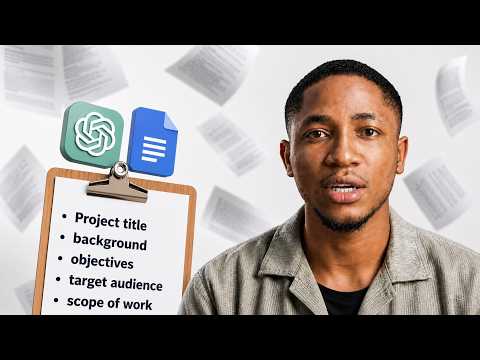
    Explains what a project brief is, who usually creates one, and the sections it typically contains, such as objectives, target audience, scope and budget. It also covers the risks of skipping one and walks through a simple example of how a designer interprets a brief. Aimed at UI/UX beginners and freelancers.

  7. Designshala 19 min Beginner

    Extends the brief to visual choices, showing how objective, audience and tone shape decisions.

    Explains why professional graphic designers write a creative brief before choosing colours, typography or composition. Covers design objective, target audience and brand tone, and shows two poster designs built from the same product and content with different briefs.

  8. David Emulo 5 min Beginner

    Adds your first hands-on step: gathering references into a moodboard in Figma.

    In this video, we begin the real project phase of our UI/UX design course by creating a moodboard inside Figma. A moodboard is one of the first and most important steps in the UI/UX design process.

  9. Alicja Suska 16 min Beginner

    Moves from direction to structure by sketching low-fidelity wireframes of real app screens.

    A beginner walkthrough of wireframing app interfaces by sketching low-fidelity screens of Instagram, YouTube, Google Calendar and Trello in Excalidraw. It shows which elements to place in a mockup when designing from scratch.

  10. Codex Community 20 min Beginner

    Ties the steps together across a full website project, from sitemap to wireframes and style guide.

    A tutorial that walks through the full website design process from start to finish, covering sitemaps, wireframes, a style guide, exporting to Figma and code, and publishing. It is aimed at people who want to design a website from scratch, with or without code.

  11. Cecilia Kim 21 min Intermediate

    Shows a working designer's real start-to-wireframe process, including restarts and feedback.

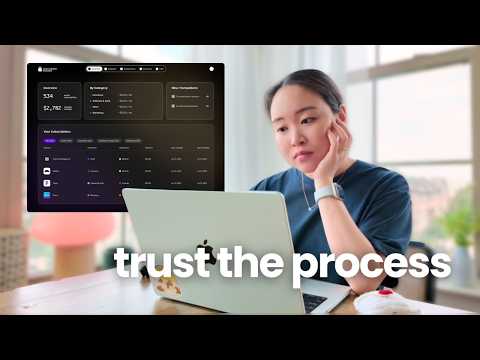
    A product designer shares the unpolished process of designing a dashboard, from gathering references in Mobbin and making moodboards and wireframes through restarts, a darker second round and feedback. It closes with reflections and lessons learned from a design that did not go as planned.

  12. NNgroup 5 min Intermediate

    Optional stretch: iterative, parallel and competitive approaches for exploring options once a first design exists.

    Explains three approaches to exploring design options: iterative design, parallel design and competitive testing. It argues that combining them helps teams move quickly, explore broadly and make evidence-based decisions.

When you've finished

Next path: Design Process: From Sketch to Shipped Product (Intermediate)

All paths in Design Process

Search and sort within Design Process: From Brief to First Wireframes

All paths
  • Learning pathBeginner → IntermediateProduct

    Design Sprints and Problem Framing for Product Teams

    For product people who want to know when to frame a problem and when to run a design sprint to decide and align a team. By the end you will be able to pick the right method and use it to reach a shared decision.

    7 lessons · 3 hr 24 min, plus 1 optional

  • Learning pathBeginnerGraphic Design

    Graphic Design Habits: Colour, Layout and Posters

    For complete beginners who want to build the core habits of graphic design and apply them to posters and ads. You will learn to plan with purpose, choose colour and layout deliberately, and create simple, clear designs.

    7 lessons · 1 hr 33 min, plus 1 optional

  • Learning pathBeginnerDesign Fundamentals

    Design Fundamentals: Principles for Beginners

    For complete beginners who want to understand what design is and how hierarchy, layout, colour and Gestalt grouping shape what people see. You will finish able to judge design by its purpose and make simple, clear layouts.

    11 lessons · 73 min, plus 1 optional

  • Learning pathBeginner → IntermediateDesign Sprint

    Design Sprints: Phases, Benefits and Your Role

    For newcomers to product design who want to understand how a design sprint works, why teams use one, and how to take part as a first-timer.

    8 lessons · 1 hr 33 min, plus 1 optional