Learning path

Logo Construction in Illustrator: Grids to Golden Ratio

For beginner to intermediate designers who want to build logos from grids, golden ratio geometry and sketch-to-vector steps. You will be able to construct letter marks and emblems in Illustrator.

What you’ll learn

  • Build a logo on a grid in Illustrator so its proportions and balance are deliberate
  • Construct a mark with golden ratio proportions and golden circles
  • Turn a hand-drawn sketch into clean vector shapes with pen and Pathfinder
  • Create letter marks and emblem-style marks from simple geometric shapes
  • Judge when a geometric system suits a logo and when it does not

Lessons

  1. Typefool 9 min Beginner

    Start here: seven principles of a good logo give the construction steps that follow a clear purpose.

    A video on seven principles for creating lasting, memorable logo designs. It is aimed at people who want a clearer framework for making logos.

  2. Typefool 11 min Beginner

    Introduces grids as the structure behind a logo, which the later construction videos all build on.

    Shows how to use grids to design logos, with practical tips and step-by-step guidance for creating them. Suited to designers who want a structured approach to logo layout.

  3. Kayla - Brand Identity Community 10 min Beginner

    Adds the core sketch-to-vector workflow: image tracing, the pen and Pathfinder tools, and an export template.

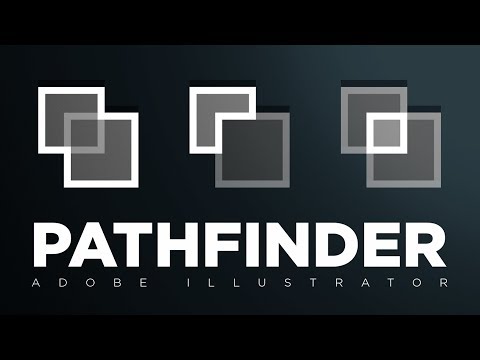
    Walks through turning a hand-drawn logo sketch into clean vector artwork in Adobe Illustrator, using image tracing, the pen, pencil, shape and Pathfinder tools, and an export template for logo files.

  4. Web D School 6 min Beginner

    Adds vector paths, anchor points and scalability testing, so you can check that a constructed mark holds up.

    A tutorial on designing logos that hold up in real-world use, covering rough sketching, vector paths and anchor points, Illustrator Pathfinder operations, scalability and silhouette tests, and optical adjustments. It suits designers building foundational logo skills.

  5. Discover design 4 min Beginner

    Your first hands-on grid build: a simple monogram constructed on a grid in Illustrator.

    A short Illustrator tutorial showing how to build a grid-based monogram logo. Suited to designers learning logo construction in Adobe Illustrator.

  6. GraphiqVibe 6 min Beginner

    Introduces golden circles and the golden ratio grid, then builds a lettermark from them with Shape Builder.

    A step-by-step Adobe Illustrator tutorial on building logos from the golden ratio and golden circles, covering grid construction, shape building, colour and custom lettermarks. It is aimed at graphic designers who want a repeatable geometric logo construction method.

  7. Jack Watson 20 min Beginner

    A full golden ratio workflow that deepens the previous video and takes a logo from start to finish.

  8. Mohamed Achraf 11 min Intermediate

    First intermediate step: a circle grid used to build a complete mark from traced reference images.

    A tutorial on designing a winged dog logo in Illustrator without sketching, using reference images, tracing and a circle grid for vectorization. It also outlines a logo design process from brief to client presentation.

  9. Designesh 5 min Intermediate

    Applies golden ratio geometry to a well-known emblem outline, making the method concrete.

    A short Adobe Illustrator tutorial showing how to build an Apple-style logo using the golden ratio. The description says the same method can be applied to other logo designs.

  10. Mohamed Achraf 8 min Intermediate

    Applies a golden ratio grid to an existing logo and judges where rigid geometry helps or hurts.

    A walkthrough of redesigning the MrBeast logo by applying a golden ratio grid, followed by a reflection on where the method works and where it does not. It suits designers who already work with logos and grid-based construction.

  11. Kayla - Brand Identity Community 10 min Intermediate

    Optional extension: sketch to vector with the pen, Pathfinder and a letter-based wordmark.

    A walkthrough of designing logos in Adobe Illustrator, from importing a reference sketch to building vector marks with the pen tool, Pathfinder, Type Touch and the Blend tool. It covers three logo examples and includes a set of quick tips.

  12. Typefool 25 min Intermediate

    Optional practice: a repeatable sketch-to-vector workflow applied across five brandmarks.

    Shows how to turn five hand-drawn logo sketches, called brandmarks, into clean vector artwork in Adobe Illustrator, one chapter per mark. Suited to designers who already work on logo design and want a practical vectorizing workflow.

When you've finished

Next path: Building and Governing Brand Identity Systems (Intermediate → Advanced)

All paths in Branding

Search and sort within Logo Construction in Illustrator: Grids to Golden Ratio

All paths
  • Learning pathBeginner → IntermediateBranding

    Brand Identity Basics: From Moodboard to Guidelines

    For beginners who want to understand branding beyond the logo and take a first brand project from references through to a printed touchpoint and a first look at guidelines. Each step adds one more piece of the identity.

    9 lessons · 2 hr 54 min, plus 1 optional
  • Learning pathBeginner → IntermediateGraphic Design

    Graphic Design

    You will learn to design logos in Illustrator, using shape tools, grids, and negative space. This path is for beginners and intermediate learners who want to improve their graphic design skills.

    9 lessons · 1 hr 40 min, plus 1 optional

  • Learning pathBeginner → IntermediateCareer

    Building a Graphic Design Career from Scratch

    For beginners who want to build a graphic design career without a degree. You will learn to plan your path, build a portfolio, find clients, freelance and move towards brand strategy.

    10 lessons · 2 hr 20 min, plus 1 optional

  • Learning pathIntermediateTypography

    Typography as a Craft: Lettering, Type Design and History

    For intermediate designers who want to look at type as a craft. You will refine letterforms, understand how typefaces and pixel fonts are made, and see how typographic history shapes the tools you use today.

    6 lessons · 1 hr 43 min, plus 1 optional