Building and publishing your first no-code website
For designers and beginners who want to build a first website in Framer, Webflow or Wix Studio without writing code. You will learn the tool basics, lay out responsive pages and publish a site you can share.
9 lessons · 2 hr 40 min, plus 1 optional (1 hr 58 min more with the optional lessons)
Beginner
Intermediate (not covered)
Advanced (not covered)
What you’ll learn
✓Find your way around the Framer, Webflow and Wix Studio editors
✓Build a responsive hero section using stacks, padding and text layout
✓Turn a Figma portfolio or an AI-generated layout into a working Framer site
✓Compare Webflow and Wix Studio to choose a tool for your next project
✓Publish a first website and share it with a live link
Start here: a short case for learning Framer, so you know the goal before opening the tool.
A creator makes the case for designers to learn Framer, covering design-to-code workflows, responsive layouts, SEO, portfolio publishing and adding custom code components with ChatGPT. It is aimed at designers who want to build websites without writing code.
Learn Framer's interface, including pages, layers, stacks, grids and breakpoints, which later lessons assume.
A walkthrough of Framer's interface, covering pages, layers, the toolbar, stack and grid layout, the properties panel, positioning and breakpoints. It is aimed at people new to Framer who want to know where to focus.
Put the interface ideas into practice by building a responsive hero section for a personal site.
A beginner walkthrough of Framer that builds a responsive hero section for a personal website or portfolio, covering stacks, images, padding, text layout, navigation, a scroll effect and breakpoints for mobile.
Build a full site from an AI-generated layout, customise it and publish it end to end in Framer.
A beginner tutorial on building a full website from scratch in Framer, starting from its AI website builder and then customising the layout. It covers pricing plans, responsive previews, motion, CMS collections, SEO settings and publishing with a custom domain.
Turn a Figma portfolio into a responsive Framer site, adding sizing, links and page metadata.
A step-by-step Framer tutorial on turning a Figma portfolio design into a responsive, interactive website. It covers breakpoints, sizing and position settings, links, effects, page metadata and publishing to a custom domain, for designers building their own UX portfolio.
Go deeper in Webflow with Flexbox, Grid, breakpoints, a fixed header and CMS blog collections.
A beginner walkthrough of Webflow's Designer covering the box model, Flexbox and CSS Grid, a fixed navigation header, responsive breakpoints, CMS blog collections, interactions, forms and publishing. It is aimed at people with no prior Webflow experience who want to build websites in the tool.
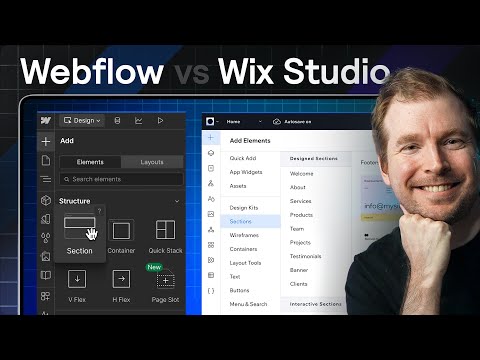
Compare Webflow and Wix Studio side by side to decide which tool suits your next project.
A side-by-side comparison of Webflow and Wix Studio for website design and development, covering dashboards, creating sites, adding elements, the inspector and editor, hero sections, responsive design and coding. It is aimed at designers, developers and agencies choosing between the two.
Optional: a two-hour Framer course for a fuller responsive landing page with animations and templates.
A beginner's full course on building a fully responsive landing page in Framer, covering layout, responsiveness, animations, Framer AI and templates. It is aimed at UI/UX designers and beginners who want to turn a design into a website without coding.
For beginners who want to build websites with AI tools and visual builders, then refine the results. You will be able to draft, adapt and polish pages in Claude Design, Framer, Wix Studio and VS Code.
;}.cls-2{fill:%2358d687;}.cls-3{fill:url(%23Degradado_sin_nombre_10);}.cls-4{fill:url(%23Degradado_sin_nombre_31);}.cls-5{fill:%238030d1;}.cls-6{fill:url(%23Degradado_sin_nombre_23);}%3c/style%3e%3clinearGradient%20id='Degradado_sin_nombre_17'%20x1='129.39'%20y1='83.35'%20x2='56.4'%20y2='162.54'%20gradientUnits='userSpaceOnUse'%3e%3cstop%20offset='0'%20stop-color='%23287d8c'/%3e%3cstop%20offset='1'%20stop-color='%2350b5db'/%3e%3c/linearGradient%3e%3clinearGradient%20id='Degradado_sin_nombre_10'%20x1='449.01'%20y1='190.97'%20x2='266.02'%20y2='78.2'%20gradientUnits='userSpaceOnUse'%3e%3cstop%20offset='0'%20stop-color='%23ffe286'/%3e%3cstop%20offset='1'%20stop-color='%23ffcd1d'/%3e%3c/linearGradient%3e%3clinearGradient%20id='Degradado_sin_nombre_31'%20x1='99.7'%20y1='309.69'%20x2='146.19'%20y2='485.35'%20gradientUnits='userSpaceOnUse'%3e%3cstop%20offset='0.01'%20stop-color='%23ff9464'/%3e%3cstop%20offset='1'%20stop-color='%23b3553a'/%3e%3c/linearGradient%3e%3clinearGradient%20id='Degradado_sin_nombre_23'%20x1='547.05'%20y1='208.96'%20x2='252.56'%20y2='438.86'%20gradientUnits='userSpaceOnUse'%3e%3cstop%20offset='0'%20stop-color='%23ff7da1'/%3e%3cstop%20offset='1'%20stop-color='%23f20b4f'/%3e%3c/linearGradient%3e%3c/defs%3e%3ctitle%3efavicon%3c/title%3e%3cg%20id='_Group_'%20data-name='<Group>'%3e%3cg%20id='_Group_2'%20data-name='<Group>'%3e%3cg%20id='_Group_3'%20data-name='<Group>'%3e%3cpath%20id='_Path_'%20data-name='<Path>'%20class='cls-1'%20d='M232.54,165.43a124.47,124.47,0,0,1-106.95,60.76h0A101.77,101.77,0,0,1,23.82,124.41V0L132.31,95.94A517.46,517.46,0,0,0,232.54,165.43Z'/%3e%3cpath%20id='_Path_2'%20data-name='<Path>'%20class='cls-2'%20d='M250,0V101.78a123.87,123.87,0,0,1-17.46,63.65A517.46,517.46,0,0,1,132.31,95.94L23.82,0Z'/%3e%3cpath%20id='_Path_3'%20data-name='<Path>'%20class='cls-3'%20d='M476.18,226.19a518.87,518.87,0,0,1-243.64-60.76A123.87,123.87,0,0,0,250,101.78V0A226.12,226.12,0,0,1,476.18,226.19Z'/%3e%3cpath%20id='_Path_4'%20data-name='<Path>'%20class='cls-4'%20d='M232.54,334.57a517.71,517.71,0,0,0-100.23,69.54L23.82,500V375.59A101.77,101.77,0,0,1,125.59,273.81h0A124.47,124.47,0,0,1,232.54,334.57Z'/%3e%3cpath%20id='_Path_5'%20data-name='<Path>'%20class='cls-5'%20d='M250,398.22V500H23.82l108.49-95.89a517.71,517.71,0,0,1,100.23-69.54A123.87,123.87,0,0,1,250,398.22Z'/%3e%3cpath%20id='_Path_6'%20data-name='<Path>'%20class='cls-6'%20d='M476.18,273.81A226.12,226.12,0,0,1,250,500V398.22a123.87,123.87,0,0,0-17.46-63.65A518.87,518.87,0,0,1,476.18,273.81Z'/%3e%3c/g%3e%3c/g%3e%3c/g%3e%3c/svg%3e)