For beginners who want to understand design systems and build shared styles and components in Figma. You will be able to set up a reusable library that your team can use.
5 lessons · 2 hr 18 min, plus 1 optional (4 min more with the optional lessons)
Beginner
Intermediate
Advanced (not covered)
What you’ll learn
✓Explain what a design system is and why teams use one
✓Create colour and text styles in Figma as a consistent foundation
✓Build reusable components and variants from those styles
✓Name, organise and describe components so others can reuse them
✓Publish styles and components to a shared team library
Start here: an introduction to what a design system is and why teams share components.
A Figma workshop introducing design systems and showing how to build and use shared components to keep designs consistent and communicate design intent. It is framed for students and people considering product design as a career.
Adds a quick overview of components, styles, variants and theming before the detailed steps.
A short Figma tutorial introducing the basics of design systems: creating components, adding styles and variants, and theming a system. It is aimed at beginners with no design background.
Moves into colour styles, the simplest reusable style that later components will draw on.
Shows how to create color styles in Figma as part of building a design system for a UI/UX project. Covers primary, secondary and neutral colours and organising reusable colour tokens. Aimed at UI/UX beginners and people building a portfolio project.
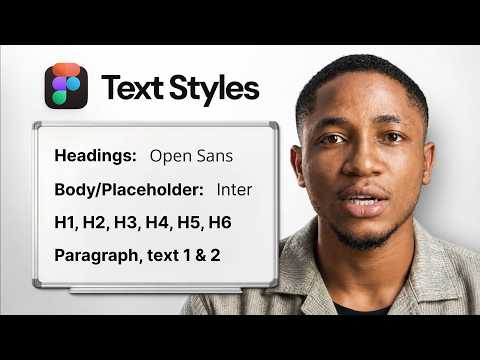
Adds text styles and a heading, body and caption hierarchy to complete the core styles.
A beginner Figma tutorial on creating text styles for font sizes, weights and heading, body and caption hierarchy as part of a UI/UX design system. It is part of a series building a design system from scratch.
Builds components from those styles and shows how to organise and describe them.
Part 2 of a five-part Figma series shows how to add to a design system by building foundational components and organizing them with pages, frames, names and descriptions. It is aimed at designers who already use Figma.
Optional recap on publishing styles and components to a team library for others to reuse.
A Figma tutorial, part 5 of a series, showing how to publish components and styles to a team library, enable team libraries, reuse shared styles and components, and review library changes. It is aimed at designers working with Figma teams.
For designers and content specialists ready to move beyond single assets, this path shows how to build, scale and govern brand identity systems using real company cases and guidelines.
For intermediate designers who want developers to build their designs accurately. You will learn to structure Figma files, prepare designs for handoff, and work alongside engineers.
For designers who already make basic vectors or digital drawings and want polished, distinctive illustrations. You will be able to produce detailed Figma and Photoshop work and set up an illustration system that a whole team can use.
For design system leads and senior designers who run systems across several brands or large product portfolios. You will learn how to structure, tokenise and govern a system at enterprise scale.
;}.cls-2{fill:%2358d687;}.cls-3{fill:url(%23Degradado_sin_nombre_10);}.cls-4{fill:url(%23Degradado_sin_nombre_31);}.cls-5{fill:%238030d1;}.cls-6{fill:url(%23Degradado_sin_nombre_23);}%3c/style%3e%3clinearGradient%20id='Degradado_sin_nombre_17'%20x1='129.39'%20y1='83.35'%20x2='56.4'%20y2='162.54'%20gradientUnits='userSpaceOnUse'%3e%3cstop%20offset='0'%20stop-color='%23287d8c'/%3e%3cstop%20offset='1'%20stop-color='%2350b5db'/%3e%3c/linearGradient%3e%3clinearGradient%20id='Degradado_sin_nombre_10'%20x1='449.01'%20y1='190.97'%20x2='266.02'%20y2='78.2'%20gradientUnits='userSpaceOnUse'%3e%3cstop%20offset='0'%20stop-color='%23ffe286'/%3e%3cstop%20offset='1'%20stop-color='%23ffcd1d'/%3e%3c/linearGradient%3e%3clinearGradient%20id='Degradado_sin_nombre_31'%20x1='99.7'%20y1='309.69'%20x2='146.19'%20y2='485.35'%20gradientUnits='userSpaceOnUse'%3e%3cstop%20offset='0.01'%20stop-color='%23ff9464'/%3e%3cstop%20offset='1'%20stop-color='%23b3553a'/%3e%3c/linearGradient%3e%3clinearGradient%20id='Degradado_sin_nombre_23'%20x1='547.05'%20y1='208.96'%20x2='252.56'%20y2='438.86'%20gradientUnits='userSpaceOnUse'%3e%3cstop%20offset='0'%20stop-color='%23ff7da1'/%3e%3cstop%20offset='1'%20stop-color='%23f20b4f'/%3e%3c/linearGradient%3e%3c/defs%3e%3ctitle%3efavicon%3c/title%3e%3cg%20id='_Group_'%20data-name='<Group>'%3e%3cg%20id='_Group_2'%20data-name='<Group>'%3e%3cg%20id='_Group_3'%20data-name='<Group>'%3e%3cpath%20id='_Path_'%20data-name='<Path>'%20class='cls-1'%20d='M232.54,165.43a124.47,124.47,0,0,1-106.95,60.76h0A101.77,101.77,0,0,1,23.82,124.41V0L132.31,95.94A517.46,517.46,0,0,0,232.54,165.43Z'/%3e%3cpath%20id='_Path_2'%20data-name='<Path>'%20class='cls-2'%20d='M250,0V101.78a123.87,123.87,0,0,1-17.46,63.65A517.46,517.46,0,0,1,132.31,95.94L23.82,0Z'/%3e%3cpath%20id='_Path_3'%20data-name='<Path>'%20class='cls-3'%20d='M476.18,226.19a518.87,518.87,0,0,1-243.64-60.76A123.87,123.87,0,0,0,250,101.78V0A226.12,226.12,0,0,1,476.18,226.19Z'/%3e%3cpath%20id='_Path_4'%20data-name='<Path>'%20class='cls-4'%20d='M232.54,334.57a517.71,517.71,0,0,0-100.23,69.54L23.82,500V375.59A101.77,101.77,0,0,1,125.59,273.81h0A124.47,124.47,0,0,1,232.54,334.57Z'/%3e%3cpath%20id='_Path_5'%20data-name='<Path>'%20class='cls-5'%20d='M250,398.22V500H23.82l108.49-95.89a517.71,517.71,0,0,1,100.23-69.54A123.87,123.87,0,0,1,250,398.22Z'/%3e%3cpath%20id='_Path_6'%20data-name='<Path>'%20class='cls-6'%20d='M476.18,273.81A226.12,226.12,0,0,1,250,500V398.22a123.87,123.87,0,0,0-17.46-63.65A518.87,518.87,0,0,1,476.18,273.81Z'/%3e%3c/g%3e%3c/g%3e%3c/g%3e%3c/svg%3e)