Connecting AI Prototypes to Design Systems and Code
For designers who already prototype with AI and want their output to follow real design systems, component libraries and code. You will be able to extend existing designs, keep generated UI on brand, and move work toward handoff.
10 lessons · 1 hr 39 min, plus 1 optional (31 min more with the optional lessons)
Start here: bring existing screens into Magic Patterns from screenshots, files or Figma, so you have a base to extend and prototype with AI.
A short lesson on importing existing designs into Magic Patterns, from screenshots, files or Figma, so they can be extended and prototyped with AI. It also covers keeping generated UI aligned with a design system's reusable components, sharing drafts and publishing a stable URL.
Next, set up a self-serve design system in Magic Patterns with rules, colour tokens, typography, components and a connected React library.
Shows how to set up a self-serve design system in Magic Patterns, covering rules, typography, colour tokens and reusable components, and how to connect a React component library through NPM, including private packages.
A longer live session that builds and reuses a component library across prototypes, putting the design system setup into practice.
A live lesson showing how to build a component library with AI prototypes in Magic Patterns and how to reuse those components. It suits designers who already prototype with AI tools.
Moves to Relume: from a project brief to a sitemap, wireframes and a styled site built with components and a Style Guide.
A walkthrough of Relume Publish, a beta AI tool that turns a project brief into a sitemap, wireframes and a styled website using components and a Style Guide. It is aimed at designers who want to see the steps from brief to published site.
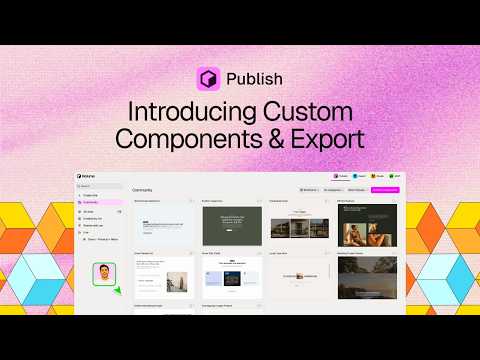
Adds custom components built from screenshots with Claude and the Relume MCP, plus a reusable library and export to Figma or Webflow.
Shows how to build a custom component from a screenshot with Claude or ChatGPT and the Relume MCP, edit an existing component, and save components to a library for reuse across projects. Also covers sharing to the Community and exporting a finished site to Figma, Webflow or GitHub.
Applies the Relume MCP with Claude to a client-style website, from discovery questionnaire through sitemap and design to publishing.
A walkthrough of building a client website with Claude and the Relume Publish MCP, starting from a client discovery questionnaire and assets. It covers creating a sitemap, wireframe and design, publishing the site, sharing it with a client and acting on their feedback, with a look at rebuilding it in Webflow.
Shows how guidelines files, Specs and code layers connected through the Figma MCP server keep Figma's agent on brand.
A walkthrough of briefing Figma's AI agent so its output stays on brand. It covers writing guidelines files, adding a Spec, connecting code layers through the Figma MCP server, and reviewing the results.
Tests whether Claude Design respects an existing Figma design system's tokens, components and spacing rules when generating UI.
The video tests how well Claude Design uses an existing design system created in Figma, checking whether the AI respects tokens, components, spacing rules and existing patterns when generating UI. It is aimed at designers who already maintain a design system and want to evaluate AI design tools.
Introduces the design skill in Claude Code for exploring directions, component variants and rapid prototypes on a canvas.
Shows how the design skill in Claude Code creates a canvas for exploring design directions. Examples cover a product page, UI component variants, visual style exploration and rapid prototyping.
Closes the path with Claude Code's design plugin, covering design critique, UX copy refinement and design handoff.
Walks through Claude Code's new design plugin and a workflow that moves from design critique to UX copy refinement to design handoff. It is aimed at product designers who want to use AI tools in their design process.
Optional longer watch on taking vibe-coded prototypes further and connecting design systems to code through MCP servers.
Figma's May 2026 release notes video demonstrates agents and MCP servers, including taking vibe-coded prototypes further, connecting design systems to code, and designing on the canvas with an agent. It closes with a roundup of recent Figma updates.
For beginners who want to understand design systems and build shared styles and components in Figma. You will be able to set up a reusable library that your team can use.
For intermediate designers who want to take a UI from layout grid to working code. You will plan interfaces, build interactive components, document them for developers and use AI to generate screens from a design system.
10 lessons · 4 hr 52 min
Learning pathIntermediate → AdvancedDesign Systems
For designers and design system leads who already build components and want to keep a shared system working. You will be able to manage tokens, flexible components, governance, adoption and handoff to code.
For intermediate UX and product designers who want to use Claude and Figma's agent in a consistent way. You will learn to build repeatable design workflows and choose AI tools sensibly for your own process.
;}.cls-2{fill:%2358d687;}.cls-3{fill:url(%23Degradado_sin_nombre_10);}.cls-4{fill:url(%23Degradado_sin_nombre_31);}.cls-5{fill:%238030d1;}.cls-6{fill:url(%23Degradado_sin_nombre_23);}%3c/style%3e%3clinearGradient%20id='Degradado_sin_nombre_17'%20x1='129.39'%20y1='83.35'%20x2='56.4'%20y2='162.54'%20gradientUnits='userSpaceOnUse'%3e%3cstop%20offset='0'%20stop-color='%23287d8c'/%3e%3cstop%20offset='1'%20stop-color='%2350b5db'/%3e%3c/linearGradient%3e%3clinearGradient%20id='Degradado_sin_nombre_10'%20x1='449.01'%20y1='190.97'%20x2='266.02'%20y2='78.2'%20gradientUnits='userSpaceOnUse'%3e%3cstop%20offset='0'%20stop-color='%23ffe286'/%3e%3cstop%20offset='1'%20stop-color='%23ffcd1d'/%3e%3c/linearGradient%3e%3clinearGradient%20id='Degradado_sin_nombre_31'%20x1='99.7'%20y1='309.69'%20x2='146.19'%20y2='485.35'%20gradientUnits='userSpaceOnUse'%3e%3cstop%20offset='0.01'%20stop-color='%23ff9464'/%3e%3cstop%20offset='1'%20stop-color='%23b3553a'/%3e%3c/linearGradient%3e%3clinearGradient%20id='Degradado_sin_nombre_23'%20x1='547.05'%20y1='208.96'%20x2='252.56'%20y2='438.86'%20gradientUnits='userSpaceOnUse'%3e%3cstop%20offset='0'%20stop-color='%23ff7da1'/%3e%3cstop%20offset='1'%20stop-color='%23f20b4f'/%3e%3c/linearGradient%3e%3c/defs%3e%3ctitle%3efavicon%3c/title%3e%3cg%20id='_Group_'%20data-name='<Group>'%3e%3cg%20id='_Group_2'%20data-name='<Group>'%3e%3cg%20id='_Group_3'%20data-name='<Group>'%3e%3cpath%20id='_Path_'%20data-name='<Path>'%20class='cls-1'%20d='M232.54,165.43a124.47,124.47,0,0,1-106.95,60.76h0A101.77,101.77,0,0,1,23.82,124.41V0L132.31,95.94A517.46,517.46,0,0,0,232.54,165.43Z'/%3e%3cpath%20id='_Path_2'%20data-name='<Path>'%20class='cls-2'%20d='M250,0V101.78a123.87,123.87,0,0,1-17.46,63.65A517.46,517.46,0,0,1,132.31,95.94L23.82,0Z'/%3e%3cpath%20id='_Path_3'%20data-name='<Path>'%20class='cls-3'%20d='M476.18,226.19a518.87,518.87,0,0,1-243.64-60.76A123.87,123.87,0,0,0,250,101.78V0A226.12,226.12,0,0,1,476.18,226.19Z'/%3e%3cpath%20id='_Path_4'%20data-name='<Path>'%20class='cls-4'%20d='M232.54,334.57a517.71,517.71,0,0,0-100.23,69.54L23.82,500V375.59A101.77,101.77,0,0,1,125.59,273.81h0A124.47,124.47,0,0,1,232.54,334.57Z'/%3e%3cpath%20id='_Path_5'%20data-name='<Path>'%20class='cls-5'%20d='M250,398.22V500H23.82l108.49-95.89a517.71,517.71,0,0,1,100.23-69.54A123.87,123.87,0,0,1,250,398.22Z'/%3e%3cpath%20id='_Path_6'%20data-name='<Path>'%20class='cls-6'%20d='M476.18,273.81A226.12,226.12,0,0,1,250,500V398.22a123.87,123.87,0,0,0-17.46-63.65A518.87,518.87,0,0,1,476.18,273.81Z'/%3e%3c/g%3e%3c/g%3e%3c/g%3e%3c/svg%3e)