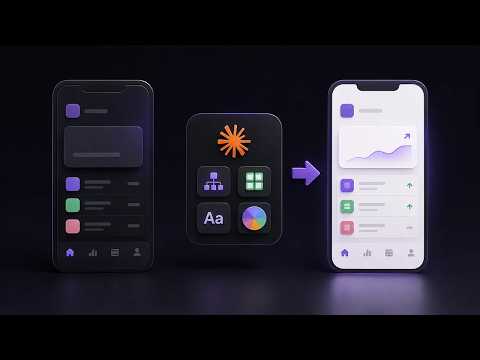
For designers who want to use Claude to review interfaces and assess AI products. You will learn to run structured critiques on screens and judge the usability of AI apps.
6 videos · 40 min
What you’ll learn
✓Run a design critique with Claude Code on a screenshot, a Figma file or source code
✓Apply a four-step review to AI-generated UI for accessibility and hierarchy
✓Use a red-team review to find the strongest reasons a design might fail
✓Evaluate an AI product's UX for friction, interaction patterns and usability
✓Judge whether an AI app's usability justifies its features
Shows how to use Claude Code to critique product designs, including raw UI screenshots, designs in Figma, and source code. Covers UI, UX, conversion and onboarding critiques, and comparing a design against a reference.
Walks through a four-step critique process for reviewing AI-generated UI in Claude Design, covering accessibility, visual hierarchy, content and interaction design. It is aimed at designers who want more structured feedback than a single review prompt gives.
Shows how to use the Claude Code design plugin to critique and refine a design in Figma, walking through the full process step by step. Aimed at designers who already work in Figma and want to try AI-assisted critique.
Design for Change with Jagadeesh · 6 min · Intermediate
A short UX episode that introduces a red-team design review, where a designer asks a trusted colleague to find the strongest reasons a design might fail. It covers accessibility, user trust, business assumptions, edge cases and ethical risk, and shows an AI prompt for structured critique.
A lead product designer reviews the UX and interface of ChatGPT, looking at what works, where friction arises, and how interaction patterns affect usability, onboarding and everyday workflows. It also considers product thinking, navigation and conversation design.
A product designer reviews the Meta Muse AI app, looking past its AI features at its UX, interactions, animations, usability and overall experience. It asks whether the app is a useful AI agent or just another AI app.
This path is for beginner and intermediate designers who want to understand design critique and practise it on real websites. You will learn to explain critique clearly, take feedback calmly, and review live sites for contrast and flow.
7 lessons · 81 min, plus 1 optional
Learning pathBeginner → IntermediateDesign Communication
For designers who want to talk about their work more clearly with peers, developers and stakeholders. You will learn to listen closely, give and take feedback calmly, and explain design choices in plain language.
For designers ready to move past the basics, this path sharpens grids, hierarchy, colour and concept work, teaches you to critique, and finishes with advanced principles you can apply to your own projects.
For designers and team leads who want feedback, craft and team habits that hold up over time. You will learn to handle critique, run safer feedback sessions and support wellbeing in your team.
;}.cls-2{fill:%2358d687;}.cls-3{fill:url(%23Degradado_sin_nombre_10);}.cls-4{fill:url(%23Degradado_sin_nombre_31);}.cls-5{fill:%238030d1;}.cls-6{fill:url(%23Degradado_sin_nombre_23);}%3c/style%3e%3clinearGradient%20id='Degradado_sin_nombre_17'%20x1='129.39'%20y1='83.35'%20x2='56.4'%20y2='162.54'%20gradientUnits='userSpaceOnUse'%3e%3cstop%20offset='0'%20stop-color='%23287d8c'/%3e%3cstop%20offset='1'%20stop-color='%2350b5db'/%3e%3c/linearGradient%3e%3clinearGradient%20id='Degradado_sin_nombre_10'%20x1='449.01'%20y1='190.97'%20x2='266.02'%20y2='78.2'%20gradientUnits='userSpaceOnUse'%3e%3cstop%20offset='0'%20stop-color='%23ffe286'/%3e%3cstop%20offset='1'%20stop-color='%23ffcd1d'/%3e%3c/linearGradient%3e%3clinearGradient%20id='Degradado_sin_nombre_31'%20x1='99.7'%20y1='309.69'%20x2='146.19'%20y2='485.35'%20gradientUnits='userSpaceOnUse'%3e%3cstop%20offset='0.01'%20stop-color='%23ff9464'/%3e%3cstop%20offset='1'%20stop-color='%23b3553a'/%3e%3c/linearGradient%3e%3clinearGradient%20id='Degradado_sin_nombre_23'%20x1='547.05'%20y1='208.96'%20x2='252.56'%20y2='438.86'%20gradientUnits='userSpaceOnUse'%3e%3cstop%20offset='0'%20stop-color='%23ff7da1'/%3e%3cstop%20offset='1'%20stop-color='%23f20b4f'/%3e%3c/linearGradient%3e%3c/defs%3e%3ctitle%3efavicon%3c/title%3e%3cg%20id='_Group_'%20data-name='<Group>'%3e%3cg%20id='_Group_2'%20data-name='<Group>'%3e%3cg%20id='_Group_3'%20data-name='<Group>'%3e%3cpath%20id='_Path_'%20data-name='<Path>'%20class='cls-1'%20d='M232.54,165.43a124.47,124.47,0,0,1-106.95,60.76h0A101.77,101.77,0,0,1,23.82,124.41V0L132.31,95.94A517.46,517.46,0,0,0,232.54,165.43Z'/%3e%3cpath%20id='_Path_2'%20data-name='<Path>'%20class='cls-2'%20d='M250,0V101.78a123.87,123.87,0,0,1-17.46,63.65A517.46,517.46,0,0,1,132.31,95.94L23.82,0Z'/%3e%3cpath%20id='_Path_3'%20data-name='<Path>'%20class='cls-3'%20d='M476.18,226.19a518.87,518.87,0,0,1-243.64-60.76A123.87,123.87,0,0,0,250,101.78V0A226.12,226.12,0,0,1,476.18,226.19Z'/%3e%3cpath%20id='_Path_4'%20data-name='<Path>'%20class='cls-4'%20d='M232.54,334.57a517.71,517.71,0,0,0-100.23,69.54L23.82,500V375.59A101.77,101.77,0,0,1,125.59,273.81h0A124.47,124.47,0,0,1,232.54,334.57Z'/%3e%3cpath%20id='_Path_5'%20data-name='<Path>'%20class='cls-5'%20d='M250,398.22V500H23.82l108.49-95.89a517.71,517.71,0,0,1,100.23-69.54A123.87,123.87,0,0,1,250,398.22Z'/%3e%3cpath%20id='_Path_6'%20data-name='<Path>'%20class='cls-6'%20d='M476.18,273.81A226.12,226.12,0,0,1,250,500V398.22a123.87,123.87,0,0,0-17.46-63.65A518.87,518.87,0,0,1,476.18,273.81Z'/%3e%3c/g%3e%3c/g%3e%3c/g%3e%3c/svg%3e)