Drawing and Tracing Vector Illustrations in Illustrator
For designers who are new to Adobe Illustrator and want to learn how to trace photos, build shapes and draw simple vector illustrations. Each short video adds one skill, from quick tracing to a longer finished project.
10 videos · 1 hr 39 min
What you’ll learn
✓Trace photos into vector silhouettes or portraits
✓Build and combine shapes with the Pen, Pencil and Shape Builder tools
✓Add depth with the isometric grid and apply dotted or dashed strokes
✓Draw a vector object step by step, from simple shapes to a finished piece
✓Export pixel art from Illustrator to a raster format without common glitches
Shows three ways to turn a photo into a vector silhouette in Adobe Illustrator: Image Trace silhouette mode, Image Trace threshold, and manual Pen Tool tracing. Suited to designers who want a quick black-and-white vector from an image.
A short Illustrator tutorial that shows how to use the Shape Builder tool to create shapes and vectors in simple steps. It is aimed at people new to the tool.
A step-by-step Adobe Illustrator tutorial on using the Pencil Tool to draw digital illustrations, including tips for refining strokes and using a Wacom tablet. It is aimed at people learning digital drawing in Illustrator.
A short Adobe Illustrator tutorial showing how to add a dotted line around a circle or other custom shape. It suits designers who are learning the software's stroke options.
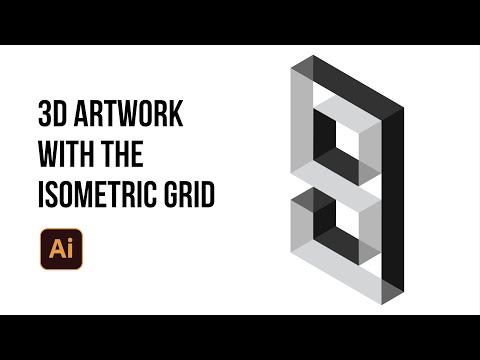
Shows how to use the isometric grid in Adobe Illustrator to create artwork with a three-dimensional look. The description is brief and mostly explains the grid itself, so the exact steps are not confirmed.
A beginner tutorial showing how to turn a photo into a cartoon-style vector portrait in Adobe Illustrator using the brush, pencil and eyedropper tools, with attention to shadows and highlights.
A tutorial showing how to build a pixel grid from squares in Adobe Illustrator, recolour and edit individual pixels, and export the vector artwork to a raster format without common glitches. It suits people who want a first look at pixel art in Illustrator.
This Illustrator tutorial walks through the Pen, Gradient, Mesh, Filters and Puppet Warp tools while drawing an owl illustration. It also shows how to turn the artwork into a T-shirt design.
For beginners who want to draw digitally, this path moves from Procreate sketching to Figma vector tools and then Figma Draw brushes and effects. You will be able to take an illustration from first sketch to polished vector finish.
For designers who already make basic vectors or digital drawings and want polished, distinctive illustrations. You will be able to produce detailed Figma and Photoshop work and set up an illustration system that a whole team can use.
For intermediate illustrators who want to take a character from first idea to finished art. You will learn to develop character concepts, choose between sketching and direct inking, and build colour palettes that hold together.
;}.cls-2{fill:%2358d687;}.cls-3{fill:url(%23Degradado_sin_nombre_10);}.cls-4{fill:url(%23Degradado_sin_nombre_31);}.cls-5{fill:%238030d1;}.cls-6{fill:url(%23Degradado_sin_nombre_23);}%3c/style%3e%3clinearGradient%20id='Degradado_sin_nombre_17'%20x1='129.39'%20y1='83.35'%20x2='56.4'%20y2='162.54'%20gradientUnits='userSpaceOnUse'%3e%3cstop%20offset='0'%20stop-color='%23287d8c'/%3e%3cstop%20offset='1'%20stop-color='%2350b5db'/%3e%3c/linearGradient%3e%3clinearGradient%20id='Degradado_sin_nombre_10'%20x1='449.01'%20y1='190.97'%20x2='266.02'%20y2='78.2'%20gradientUnits='userSpaceOnUse'%3e%3cstop%20offset='0'%20stop-color='%23ffe286'/%3e%3cstop%20offset='1'%20stop-color='%23ffcd1d'/%3e%3c/linearGradient%3e%3clinearGradient%20id='Degradado_sin_nombre_31'%20x1='99.7'%20y1='309.69'%20x2='146.19'%20y2='485.35'%20gradientUnits='userSpaceOnUse'%3e%3cstop%20offset='0.01'%20stop-color='%23ff9464'/%3e%3cstop%20offset='1'%20stop-color='%23b3553a'/%3e%3c/linearGradient%3e%3clinearGradient%20id='Degradado_sin_nombre_23'%20x1='547.05'%20y1='208.96'%20x2='252.56'%20y2='438.86'%20gradientUnits='userSpaceOnUse'%3e%3cstop%20offset='0'%20stop-color='%23ff7da1'/%3e%3cstop%20offset='1'%20stop-color='%23f20b4f'/%3e%3c/linearGradient%3e%3c/defs%3e%3ctitle%3efavicon%3c/title%3e%3cg%20id='_Group_'%20data-name='<Group>'%3e%3cg%20id='_Group_2'%20data-name='<Group>'%3e%3cg%20id='_Group_3'%20data-name='<Group>'%3e%3cpath%20id='_Path_'%20data-name='<Path>'%20class='cls-1'%20d='M232.54,165.43a124.47,124.47,0,0,1-106.95,60.76h0A101.77,101.77,0,0,1,23.82,124.41V0L132.31,95.94A517.46,517.46,0,0,0,232.54,165.43Z'/%3e%3cpath%20id='_Path_2'%20data-name='<Path>'%20class='cls-2'%20d='M250,0V101.78a123.87,123.87,0,0,1-17.46,63.65A517.46,517.46,0,0,1,132.31,95.94L23.82,0Z'/%3e%3cpath%20id='_Path_3'%20data-name='<Path>'%20class='cls-3'%20d='M476.18,226.19a518.87,518.87,0,0,1-243.64-60.76A123.87,123.87,0,0,0,250,101.78V0A226.12,226.12,0,0,1,476.18,226.19Z'/%3e%3cpath%20id='_Path_4'%20data-name='<Path>'%20class='cls-4'%20d='M232.54,334.57a517.71,517.71,0,0,0-100.23,69.54L23.82,500V375.59A101.77,101.77,0,0,1,125.59,273.81h0A124.47,124.47,0,0,1,232.54,334.57Z'/%3e%3cpath%20id='_Path_5'%20data-name='<Path>'%20class='cls-5'%20d='M250,398.22V500H23.82l108.49-95.89a517.71,517.71,0,0,1,100.23-69.54A123.87,123.87,0,0,1,250,398.22Z'/%3e%3cpath%20id='_Path_6'%20data-name='<Path>'%20class='cls-6'%20d='M476.18,273.81A226.12,226.12,0,0,1,250,500V398.22a123.87,123.87,0,0,0-17.46-63.65A518.87,518.87,0,0,1,476.18,273.81Z'/%3e%3c/g%3e%3c/g%3e%3c/g%3e%3c/svg%3e)