Figma skills from first steps to publishing a library
For designers who already use Figma and want to work through images, FigJam, handoff and prototyping, then build and publish a component library with a first version.
12 videos · 5 hr 33 min
What you’ll learn
✓Add, edit and export images, GIFs and video in Figma files.
✓Build a colour wheel and explain how hex codes set on-screen colour.
✓Hand off finished designs to developers using redlines and exported assets.
✓Build and edit multi-flow prototypes, including prototypes with video.
✓Polish components, document a library and publish a first version.
A Figma Study Hall tutorial showing how to add and edit images in Figma, including image fills, cropping, PNGs and GIFs, and how to add, play and download video for prototyping or presenting.
Figma product managers show how their teams use FigJam for cross-functional brainstorms, daily stand-ups, quarterly planning and product roadmaps. The session also shares templates that teams can use themselves.
A Figma tutorial showing designers how to hand off finished designs to developers, covering inviting developers, view-only mode, exporting assets, measuring with redlines, pinning comments and presenting prototypes. It is part 8 of a series aimed at people new to Figma.
A short Figma tutorial showing how to make a colour wheel and explaining how hex codes generate on-screen colours. It introduces these basics for people learning design in Figma.
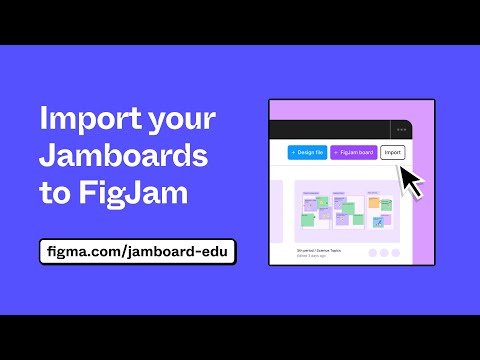
A short Figma tutorial showing how to import existing Jamboard files into FigJam as editable boards, keeping sticky notes and sketches. It is aimed at people moving their whiteboard content into FigJam.
A live session in which designer Nolan builds an app in Figma, shown as a working build rather than a product pitch. It suits designers who already use Figma and want to watch an app being designed step by step.
A Figma office-hours livestream in which designers walk through adding videos to prototypes, building and editing multi-flow prototypes, and bringing others along. Two community members demo how they use the new prototyping features.
Figma designers walk through how they use FigJam in their design process, including building components for jams, running fun and structured sessions, and diagramming at different levels from product architecture to feature interactions. The talk is aimed at designers who already collaborate in shared whiteboards.
A Config 2025 talk in which Joel Lewenstein, Head of Product Design at Anthropic, looks at how the metaphors we use for AI shape what we expect from it and from our users. It also covers upcoming areas of technical progress that could make AI a true collaborator.
Shows how Figma's improved multi-edit behaviour works when selecting and editing objects across multiple frames. It points to a community playground file for hands-on practice.
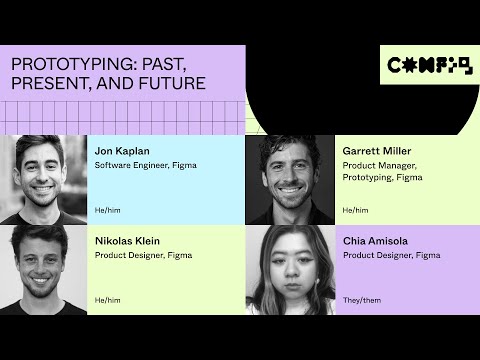
A Config 2023 session from members of Figma's Prototyping team on the advanced prototyping features announced at the conference, covering how prototyping has developed in the tool. It is aimed at designers who already use Figma.
A Figma livestream in which a designer advocate and a product manager show how to polish components, document a library and publish a first version. The session also covers what comes after publishing and includes a Q&A.
For beginners who want to understand design systems and build shared styles and components in Figma. You will be able to set up a reusable library that your team can use.
5 lessons · 2 hr 18 min, plus 1 optional
Learning pathIntermediate → AdvancedDesign Systems
For designers and design system leads who already build components and want to keep a shared system working. You will be able to manage tokens, flexible components, governance, adoption and handoff to code.
For designers and content specialists ready to move beyond single assets, this path shows how to build, scale and govern brand identity systems using real company cases and guidelines.
For intermediate designers who want developers to build their designs accurately. You will learn to structure Figma files, prepare designs for handoff, and work alongside engineers.
;}.cls-2{fill:%2358d687;}.cls-3{fill:url(%23Degradado_sin_nombre_10);}.cls-4{fill:url(%23Degradado_sin_nombre_31);}.cls-5{fill:%238030d1;}.cls-6{fill:url(%23Degradado_sin_nombre_23);}%3c/style%3e%3clinearGradient%20id='Degradado_sin_nombre_17'%20x1='129.39'%20y1='83.35'%20x2='56.4'%20y2='162.54'%20gradientUnits='userSpaceOnUse'%3e%3cstop%20offset='0'%20stop-color='%23287d8c'/%3e%3cstop%20offset='1'%20stop-color='%2350b5db'/%3e%3c/linearGradient%3e%3clinearGradient%20id='Degradado_sin_nombre_10'%20x1='449.01'%20y1='190.97'%20x2='266.02'%20y2='78.2'%20gradientUnits='userSpaceOnUse'%3e%3cstop%20offset='0'%20stop-color='%23ffe286'/%3e%3cstop%20offset='1'%20stop-color='%23ffcd1d'/%3e%3c/linearGradient%3e%3clinearGradient%20id='Degradado_sin_nombre_31'%20x1='99.7'%20y1='309.69'%20x2='146.19'%20y2='485.35'%20gradientUnits='userSpaceOnUse'%3e%3cstop%20offset='0.01'%20stop-color='%23ff9464'/%3e%3cstop%20offset='1'%20stop-color='%23b3553a'/%3e%3c/linearGradient%3e%3clinearGradient%20id='Degradado_sin_nombre_23'%20x1='547.05'%20y1='208.96'%20x2='252.56'%20y2='438.86'%20gradientUnits='userSpaceOnUse'%3e%3cstop%20offset='0'%20stop-color='%23ff7da1'/%3e%3cstop%20offset='1'%20stop-color='%23f20b4f'/%3e%3c/linearGradient%3e%3c/defs%3e%3ctitle%3efavicon%3c/title%3e%3cg%20id='_Group_'%20data-name='<Group>'%3e%3cg%20id='_Group_2'%20data-name='<Group>'%3e%3cg%20id='_Group_3'%20data-name='<Group>'%3e%3cpath%20id='_Path_'%20data-name='<Path>'%20class='cls-1'%20d='M232.54,165.43a124.47,124.47,0,0,1-106.95,60.76h0A101.77,101.77,0,0,1,23.82,124.41V0L132.31,95.94A517.46,517.46,0,0,0,232.54,165.43Z'/%3e%3cpath%20id='_Path_2'%20data-name='<Path>'%20class='cls-2'%20d='M250,0V101.78a123.87,123.87,0,0,1-17.46,63.65A517.46,517.46,0,0,1,132.31,95.94L23.82,0Z'/%3e%3cpath%20id='_Path_3'%20data-name='<Path>'%20class='cls-3'%20d='M476.18,226.19a518.87,518.87,0,0,1-243.64-60.76A123.87,123.87,0,0,0,250,101.78V0A226.12,226.12,0,0,1,476.18,226.19Z'/%3e%3cpath%20id='_Path_4'%20data-name='<Path>'%20class='cls-4'%20d='M232.54,334.57a517.71,517.71,0,0,0-100.23,69.54L23.82,500V375.59A101.77,101.77,0,0,1,125.59,273.81h0A124.47,124.47,0,0,1,232.54,334.57Z'/%3e%3cpath%20id='_Path_5'%20data-name='<Path>'%20class='cls-5'%20d='M250,398.22V500H23.82l108.49-95.89a517.71,517.71,0,0,1,100.23-69.54A123.87,123.87,0,0,1,250,398.22Z'/%3e%3cpath%20id='_Path_6'%20data-name='<Path>'%20class='cls-6'%20d='M476.18,273.81A226.12,226.12,0,0,1,250,500V398.22a123.87,123.87,0,0,0-17.46-63.65A518.87,518.87,0,0,1,476.18,273.81Z'/%3e%3c/g%3e%3c/g%3e%3c/g%3e%3c/svg%3e)