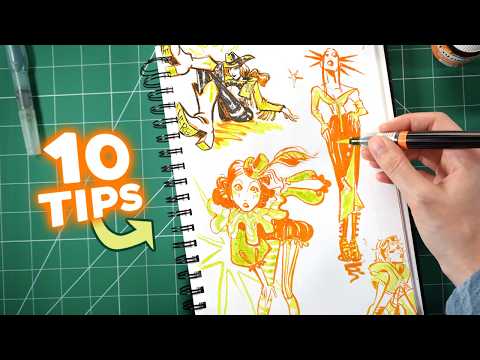
A short selection for designers and illustrators who want quick, practical lessons across Canva, Illustrator, Figma and digital painting, all 15 minutes or less. Each video stands alone, so you can dip in at any level.
12 videos · 80 min
What you’ll learn
✓Create a simple cartoon storybook layout in Canva from a written story
✓Turn a photo into a scribble line-art effect for posters and social graphics
✓Draw clean digital shapes and strokes using the Illustrator Pencil and Shape Builder tools
✓Build a character illustration in Figma using the pen tool
✓Use black and white values to make colours work better in digital paintings
A step-by-step tutorial on turning ChatGPT-written stories into an illustrated cartoon storybook in Canva, covering plot brainstorming, child-friendly scripts, cartoon illustrations and book layouts. It is aimed at viewers with no design experience, including those planning to publish on Amazon KDP.
Illustrator Greg Gunn walks through a five-step process for making a digital illustration, from finding a prompt and sketching thumbnails to cleaning up, blocking colour and adding detail. It is aimed at people who are new to digital art.
A step-by-step Adobe Illustrator tutorial on using the Pencil Tool to draw digital illustrations, including tips for refining strokes and using a Wacom tablet. It is aimed at people learning digital drawing in Illustrator.
A short Illustrator tutorial that shows how to use the Shape Builder tool to create shapes and vectors in simple steps. It is aimed at people new to the tool.
The video lists five websites for finding illustrations and icons, with links given in the description. It is a short resource roundup for designers looking for visual assets.
A short beginner tutorial showing how to make character illustrations in Figma using the pen tool. It is aimed at people who are new to drawing in Figma.
Jackie Droujko demonstrates inking a drawing without sketching first, a character illustration technique. The video suits artists who already draw and want to work more directly.
Illustrator Maggie Enterrios discusses her drawing and illustration process, including botanical illustration and drawing on iPad in Procreate. The video suits designers and illustrators interested in how a working illustrator approaches her craft.
A hands-on test of the Pictographic Figma plugin for adding vector and PNG illustrations directly inside Figma. It looks at how easy the assets are to find and customise, and whether they speed up real design work.
For beginners who want to draw digitally, this path moves from Procreate sketching to Figma vector tools and then Figma Draw brushes and effects. You will be able to take an illustration from first sketch to polished vector finish.
For designers who already make basic vectors or digital drawings and want polished, distinctive illustrations. You will be able to produce detailed Figma and Photoshop work and set up an illustration system that a whole team can use.
For intermediate illustrators who want to take a character from first idea to finished art. You will learn to develop character concepts, choose between sketching and direct inking, and build colour palettes that hold together.
;}.cls-2{fill:%2358d687;}.cls-3{fill:url(%23Degradado_sin_nombre_10);}.cls-4{fill:url(%23Degradado_sin_nombre_31);}.cls-5{fill:%238030d1;}.cls-6{fill:url(%23Degradado_sin_nombre_23);}%3c/style%3e%3clinearGradient%20id='Degradado_sin_nombre_17'%20x1='129.39'%20y1='83.35'%20x2='56.4'%20y2='162.54'%20gradientUnits='userSpaceOnUse'%3e%3cstop%20offset='0'%20stop-color='%23287d8c'/%3e%3cstop%20offset='1'%20stop-color='%2350b5db'/%3e%3c/linearGradient%3e%3clinearGradient%20id='Degradado_sin_nombre_10'%20x1='449.01'%20y1='190.97'%20x2='266.02'%20y2='78.2'%20gradientUnits='userSpaceOnUse'%3e%3cstop%20offset='0'%20stop-color='%23ffe286'/%3e%3cstop%20offset='1'%20stop-color='%23ffcd1d'/%3e%3c/linearGradient%3e%3clinearGradient%20id='Degradado_sin_nombre_31'%20x1='99.7'%20y1='309.69'%20x2='146.19'%20y2='485.35'%20gradientUnits='userSpaceOnUse'%3e%3cstop%20offset='0.01'%20stop-color='%23ff9464'/%3e%3cstop%20offset='1'%20stop-color='%23b3553a'/%3e%3c/linearGradient%3e%3clinearGradient%20id='Degradado_sin_nombre_23'%20x1='547.05'%20y1='208.96'%20x2='252.56'%20y2='438.86'%20gradientUnits='userSpaceOnUse'%3e%3cstop%20offset='0'%20stop-color='%23ff7da1'/%3e%3cstop%20offset='1'%20stop-color='%23f20b4f'/%3e%3c/linearGradient%3e%3c/defs%3e%3ctitle%3efavicon%3c/title%3e%3cg%20id='_Group_'%20data-name='<Group>'%3e%3cg%20id='_Group_2'%20data-name='<Group>'%3e%3cg%20id='_Group_3'%20data-name='<Group>'%3e%3cpath%20id='_Path_'%20data-name='<Path>'%20class='cls-1'%20d='M232.54,165.43a124.47,124.47,0,0,1-106.95,60.76h0A101.77,101.77,0,0,1,23.82,124.41V0L132.31,95.94A517.46,517.46,0,0,0,232.54,165.43Z'/%3e%3cpath%20id='_Path_2'%20data-name='<Path>'%20class='cls-2'%20d='M250,0V101.78a123.87,123.87,0,0,1-17.46,63.65A517.46,517.46,0,0,1,132.31,95.94L23.82,0Z'/%3e%3cpath%20id='_Path_3'%20data-name='<Path>'%20class='cls-3'%20d='M476.18,226.19a518.87,518.87,0,0,1-243.64-60.76A123.87,123.87,0,0,0,250,101.78V0A226.12,226.12,0,0,1,476.18,226.19Z'/%3e%3cpath%20id='_Path_4'%20data-name='<Path>'%20class='cls-4'%20d='M232.54,334.57a517.71,517.71,0,0,0-100.23,69.54L23.82,500V375.59A101.77,101.77,0,0,1,125.59,273.81h0A124.47,124.47,0,0,1,232.54,334.57Z'/%3e%3cpath%20id='_Path_5'%20data-name='<Path>'%20class='cls-5'%20d='M250,398.22V500H23.82l108.49-95.89a517.71,517.71,0,0,1,100.23-69.54A123.87,123.87,0,0,1,250,398.22Z'/%3e%3cpath%20id='_Path_6'%20data-name='<Path>'%20class='cls-6'%20d='M476.18,273.81A226.12,226.12,0,0,1,250,500V398.22a123.87,123.87,0,0,0-17.46-63.65A518.87,518.87,0,0,1,476.18,273.81Z'/%3e%3c/g%3e%3c/g%3e%3c/g%3e%3c/svg%3e)