;}.cls-2{fill:%2358d687;}.cls-3{fill:url(%23Degradado_sin_nombre_10);}.cls-4{fill:url(%23Degradado_sin_nombre_31);}.cls-5{fill:%238030d1;}.cls-6{fill:url(%23Degradado_sin_nombre_23);}%3c/style%3e%3clinearGradient%20id='Degradado_sin_nombre_17'%20x1='129.39'%20y1='83.35'%20x2='56.4'%20y2='162.54'%20gradientUnits='userSpaceOnUse'%3e%3cstop%20offset='0'%20stop-color='%23287d8c'/%3e%3cstop%20offset='1'%20stop-color='%2350b5db'/%3e%3c/linearGradient%3e%3clinearGradient%20id='Degradado_sin_nombre_10'%20x1='449.01'%20y1='190.97'%20x2='266.02'%20y2='78.2'%20gradientUnits='userSpaceOnUse'%3e%3cstop%20offset='0'%20stop-color='%23ffe286'/%3e%3cstop%20offset='1'%20stop-color='%23ffcd1d'/%3e%3c/linearGradient%3e%3clinearGradient%20id='Degradado_sin_nombre_31'%20x1='99.7'%20y1='309.69'%20x2='146.19'%20y2='485.35'%20gradientUnits='userSpaceOnUse'%3e%3cstop%20offset='0.01'%20stop-color='%23ff9464'/%3e%3cstop%20offset='1'%20stop-color='%23b3553a'/%3e%3c/linearGradient%3e%3clinearGradient%20id='Degradado_sin_nombre_23'%20x1='547.05'%20y1='208.96'%20x2='252.56'%20y2='438.86'%20gradientUnits='userSpaceOnUse'%3e%3cstop%20offset='0'%20stop-color='%23ff7da1'/%3e%3cstop%20offset='1'%20stop-color='%23f20b4f'/%3e%3c/linearGradient%3e%3c/defs%3e%3ctitle%3efavicon%3c/title%3e%3cg%20id='_Group_'%20data-name='<Group>'%3e%3cg%20id='_Group_2'%20data-name='<Group>'%3e%3cg%20id='_Group_3'%20data-name='<Group>'%3e%3cpath%20id='_Path_'%20data-name='<Path>'%20class='cls-1'%20d='M232.54,165.43a124.47,124.47,0,0,1-106.95,60.76h0A101.77,101.77,0,0,1,23.82,124.41V0L132.31,95.94A517.46,517.46,0,0,0,232.54,165.43Z'/%3e%3cpath%20id='_Path_2'%20data-name='<Path>'%20class='cls-2'%20d='M250,0V101.78a123.87,123.87,0,0,1-17.46,63.65A517.46,517.46,0,0,1,132.31,95.94L23.82,0Z'/%3e%3cpath%20id='_Path_3'%20data-name='<Path>'%20class='cls-3'%20d='M476.18,226.19a518.87,518.87,0,0,1-243.64-60.76A123.87,123.87,0,0,0,250,101.78V0A226.12,226.12,0,0,1,476.18,226.19Z'/%3e%3cpath%20id='_Path_4'%20data-name='<Path>'%20class='cls-4'%20d='M232.54,334.57a517.71,517.71,0,0,0-100.23,69.54L23.82,500V375.59A101.77,101.77,0,0,1,125.59,273.81h0A124.47,124.47,0,0,1,232.54,334.57Z'/%3e%3cpath%20id='_Path_5'%20data-name='<Path>'%20class='cls-5'%20d='M250,398.22V500H23.82l108.49-95.89a517.71,517.71,0,0,1,100.23-69.54A123.87,123.87,0,0,1,250,398.22Z'/%3e%3cpath%20id='_Path_6'%20data-name='<Path>'%20class='cls-6'%20d='M476.18,273.81A226.12,226.12,0,0,1,250,500V398.22a123.87,123.87,0,0,0-17.46-63.65A518.87,518.87,0,0,1,476.18,273.81Z'/%3e%3c/g%3e%3c/g%3e%3c/g%3e%3c/svg%3e)
 Length 2:56
Mindesigning
Follow Mindesigning9 videos · 13 live
Mindesigning is a channel of short design tutorials and theory videos on UI and UX design, research, and psychology, mostly focused on Figma. Its videos cover prototyping such as conditional prototyping and split view interactions, design tool workflows like Auto Layout wrapping, and typography for interfaces. The channel suits beginner and intermediate designers, as nearly all of its videos run under ten minutes. Designers follow it because each video isolates one practical technique clearly and quickly.
- YouTube channelMindesigning on YouTube(opens in a new tab)
Live13 live
- Length 2:56
 Length 2:03
 Length 2:29
Mastering Baseline Grid in Figma: A Complete Guide in Minutes
LivestreamBeginnerTypography Length 9:13
Mastering Conditional Prototyping: A Step-by-Step Tutorial
LivestreamIntermediatePrototyping Length 3:43
Mastering Split View Interactions - Figma Prototype Tutorial
LivestreamBeginnerPrototyping Length 2:41
Interactive Sidebar in Figma: Expand/Collapse on Hover - Easy Tutorial
LivestreamBeginnerPrototyping Length 2:17
Design Smarter: Auto Layout Wrap in Figma Explained
LivestreamIntermediateDesign Tool Workflows Length 2:50
How to Build Cross-Component Interactions in Figma: Trigger Actions Between Elements
LivestreamBeginnerPrototyping Length 10:50
The Ultimate Guide to Figma Animation: Smart Animate & Bezier Curves
LivestreamIntermediatePrototyping Length 3:45
How to Make a Before & After Image Slider in Figma (Interactive Prototype Tutorial)
LivestreamBeginnerPrototyping Length 5:03
Figma Slide to Unlock Interaction (Step-by-Step Tutorial)
LivestreamIntermediatePrototyping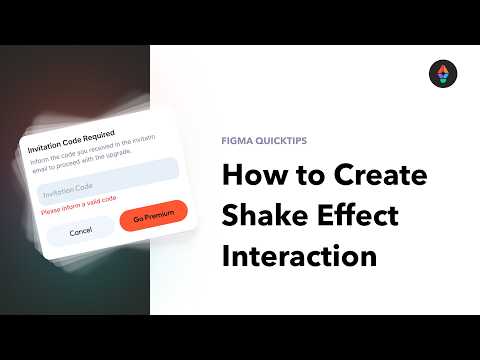 Length 2:31
Create a Shake Animation in Figma to Simulate Haptic Feedback (Microinteraction Tutorial)
LivestreamIntermediatePrototyping Length 5:07
Complete Guide to Creating Dynamic Table Components on Figma
LivestreamIntermediateDesign Systems
These videos belong to Mindesigning and play in YouTube’s own player. Designed chooses them and writes what is said about them here.