Learning path

Conversation Design for Chatbots, Voice and AI Agents

For designers, product people and developers who want to plan chatbot and voice conversations from first principles. You will learn the design process, how to shape utterances and how to handle errors well.

What you’ll learn

  • Describe the design stages and how conversation design differs from GUI design
  • Map a chatbot persona, happy path and repair paths for a simple bot
  • Define and prioritise utterances for a conversational interface
  • Design error handling and recovery paths for chatbot conversations
  • Explain how LLMs and agents change the conversation designer's work

Lessons

  1. AI Kitchen 4 min Beginner

    Start here: this gives you the four-stage map of Discover, Define, Design and Implement & Test that the rest of the path builds on.

    The video outlines the typical conversational design process and explains how it compares with the usual UX design process. It walks through the stages of discovery, definition, design, and implementation and testing.

  2. AI Kitchen 7 min Beginner

    Corrects common myths about conversation design and shows how it differs from GUI design, before you start practising the steps.

    Clears up common misconceptions about conversational design, explaining how it differs from GUI design, copywriting and business goals, and why it is a process that is harder than it looks. Aimed at people who want to learn what conversational design actually is.

  3. Botsociety 65 min Beginner

    A hands-on workshop that applies the process to personas, happy paths, repair paths and buttons.

    A beginner workshop that walks through the basics of conversation design, from chatbot ideation and personas to happy and repair paths, button structure and handing designs to engineering. It ends with a full conversation design file the viewer can use for presentations and portfolios.

  4. Ai Brown 6 min Beginner

    A shorter guide that ties the bot's role, conversation flow and chatbot UI together, reinforcing the workshop.

    A walkthrough of designing an AI chatbot that holds natural conversations, covering the bot's role, conversation flow, chatbot UI and voice and vision features. It is aimed at people new to chatbot design.

  5. Ai Brown 7 min Intermediate

    Five practical tips on persona, flow, memory and micro-feedback, the first step up to intermediate craft.

    Shares five tips for designing conversational interfaces that feel natural and helpful, covering personas, conversation flow, memory design, micro-feedback and real-time voice. Aimed at designers working on chatbots and voice AI.

  6. AI Kitchen 5 min Intermediate

    Goes deeper into defining and prioritising utterances, including edge cases and synonyms.

    A practical talk on best practices for defining utterances when designing conversational interfaces, covering which utterances to prioritise, handling edge cases, using synonyms, distinguishing utterances from intents, and validating assumptions against data. It is aimed at designers working on voice and chatbot experiences.

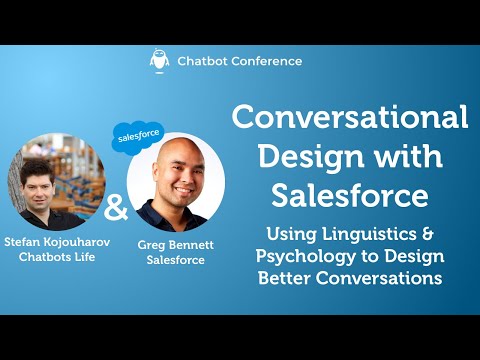
  7. Chatbots Life 29 min Intermediate

    A practitioner's 10-step process for customer service bots, applying the earlier ideas to a real use case.

    A Salesforce conversation designer walks through best practices for designing conversations for customer service bots, covering a 10-step process for conversational AI, conversation relevance and actions, and a demo using Salesforce Einstein. It suits designers who already work on chatbot or voice experiences.

  8. Ironhack 65 min Intermediate

    A detailed webinar on handling errors and recovery, extending the repair paths you met in the workshop.

    A webinar on handling errors in chatbot conversations using user-centred conversational UX design approaches. It presents best practices for designers building conversational interfaces.

  9. Voiceflow 4 min Intermediate

    Shows how large language models and retrieval-augmented generation change the designer's role and edge-case handling.

    Pete discusses how large language models and retrieval-augmented generation change conversation design, including handling edge cases and FAQs with less explicit logic design. It is aimed at designers building AI agents, chatbots and assistants.

  10. Chatbots Life 65 min Intermediate

    Optional: a longer talk on linguistics and psychology, covering adjacency pairs and personality styles, for more depth.

    A talk by a Salesforce conversation designer on using linguistics and psychology to design chatbot conversations. It covers adjacency pairs, conversational relevance, and personality styles such as the Big 5 traits.

When you've finished

Next path: Building Repeatable AI-Assisted UI/UX Workflows (Intermediate)

All paths in AI

Search and sort within Conversation Design for Chatbots, Voice and AI Agents

All paths
  • Learning pathBeginner → IntermediateAI

    AI for Designers: From Prompt to Prototype

    For designers new to AI who want to understand its role in design work and try beginner-friendly tools. You will be able to judge whether a tool fits a task and turn a prompt into a working prototype.

    10 lessons · 79 min, plus 1 optional
  • Learning pathIntermediateUI

    Designing real interfaces from grids to handoff

    For intermediate designers who want to take a UI from layout grid to working code. You will plan interfaces, build interactive components, document them for developers and use AI to generate screens from a design system.

    10 lessons · 4 hr 52 min

  • Learning pathIntermediate → AdvancedDesign Engineering

    Designing in Code: Figma, MCP and Production Handoff

    For designers and front-end-minded product people who already know Figma and want to move designs into real code. You will learn to connect design files to AI coding tools and ship changes to a production codebase.

    9 lessons · 2 hr 9 min, plus 1 optional

  • Learning pathIntermediateDesign Trends

    Judging Design Trends: Hype Versus Lasting Change

    This path is for designers who already know the common trends and want to assess them. You will learn to test AI, SaaS and web animation trends against user needs and decide which ideas are worth adopting.

    8 lessons · 2 hr 10 min, plus 2 optional