Learning path

Using AI Across the UX Research Workflow

For UX researchers and designers ready to use AI across planning, interviews and analysis. You will learn where it saves time, where it misleads, and where human judgement must stay in charge.

What you’ll learn

  • Use ChatGPT and similar tools to speed up audits, personas and research planning
  • Synthesise interview data with AI tools while checking outputs against transcripts
  • Spot bias and hallucinated insights, and report AI-assisted findings credibly
  • Explain what synthetic users and AI-moderated interviews can and cannot tell you
  • Decide which research tasks to hand to AI and which need human judgement

Lessons

  1. Dr Emmanuelle Savarit 29 min Intermediate

    Start here: a clear map of where AI fits in research, plus the privacy and vendor trust questions to raise early.

    A solo podcast episode exploring where AI is helping UX researchers across the workflow, from discussion guides to synthesis and reporting, and where caution and human accountability remain necessary. It is aimed at researchers already using or considering AI in their practice.

  2. Anna Savranska 4 min Intermediate

    Adds a quick overview of the main AI research tools, so you can see the landscape before trying any of them.

    A roundup of seven AI tools that aim to make UX research faster, covering rapid testing, organising insights, transcription, simulated users and predicting responses to designs. Aimed at designers and teams who run user research.

  3. Design with Mahsa 9 min Intermediate

    Moves to hands-on work: using ChatGPT for quick market research, pain points and persona drafting.

    Shows a UX designer how to use ChatGPT as a thinking partner for UX research, using a job application redesign as a worked example. It covers quick market and competitive research, finding user pain points, generating personas, and backing design ideas with evidence, while noting AI does not replace real user research.

  4. Lesson 4:

    AI: UX Research

    Sparkbox 17 min Intermediate

    Extends basic prompting to competitive audits, challenging assumptions and synthesising research in FigJam AI.

    Chris demonstrates using ChatGPT and FigJam AI to support UX research, including competitive audits, challenging assumptions and synthesising research data. The video is aimed at people who already do UX research and want to use AI to enhance rather than replace their expertise.

  5. kaushiki Garg 5 min Intermediate

    Introduces a dedicated synthesis tool, Dovetail AI, covering transcription, tagging and affinity mapping.

    A walkthrough of Dovetail AI, a tool that helps UX researchers organise, analyse and synthesise interview research. The presenter also notes its limits: transcription is not word-for-word and some features are paid.

  6. level_up 10 min Intermediate

    Shows Dovetail's Chat with data on real interviews, including how to check AI-cited quotes against sources.

    A hands-on demo of Dovetail's "Chat with data" feature, running five user interview transcripts through it to summarise themes and surface cited quotes. It also covers splitting combined transcripts into separate docs for clearer sourcing and checking where AI consensus claims go beyond the evidence. It is aimed at UX researchers, designers and PMs doing qualitative synthesis.

  7. The Design Project 6 min Intermediate

    Adds a method for comparing answers from several AI models, marking where they agree, conflict or diverge.

    Shows a method for querying five AI models with the same user research prompt, then using a further model to compare where their answers agree, conflict or diverge. It walks through a real example of three nurse interviews for a healthtech SaaS product and notes when the approach makes sense and when it does not.

  8. Coco Insights 3 min Intermediate

    Covers the analysis risks to watch for, including bias and hallucinated insights, and keeping findings credible.

    This video explains how UX researchers can use AI during the analysis phase of qualitative interviews, usability studies and surveys. It covers what to do and what to avoid, including the risks of bias, hallucinations and weak insights.

  9. UX studio 21 min Intermediate

    A practitioner's view of what AI can and cannot do across research, and whether it really saves time.

    A UX researcher at UX studio shares how she started using AI in her research work and what she found about its use across the UX research process. The talk covers limits of AI, time savings, and keeping research human-centred.

  10. Patricia Reiners 46 min Intermediate

    Goes deep on synthetic users and AI-moderated interviews, and where they help or mislead research.

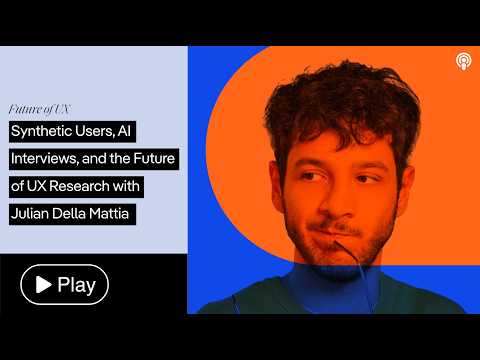
    A conversation with Julian Della Mattia, Senior User Insights Manager at DuckDuckGo, on synthetic users, AI-moderated interviews and where AI helps or misleads UX research. It is aimed at people in UX, research and product who want a clearer view of how AI is changing research practice.

  11. Rethink.fm 47 min Intermediate

    Optional: a longer podcast on prompt engineering, AI-moderated interviews, ethics and mixing human and AI methods.

    A podcast episode on how AI tools are changing UX research, covering prompt engineering, AI-moderated interviews, synthetic users and synthesis tools. It also addresses ethics, security and keeping a human connection in research, and is aimed at researchers deciding how to use AI in their practice.

  12. Aakash Gupta Learnings 4 min Intermediate

    Optional: a short advanced look at parallel AI agents for analysis, with a note on the risks of running them.

    A UX researcher demonstrates running interview and survey analysis as parallel Claude Code agents, with prompting processes stored in agent markdown files that include feedback loops. The clip also covers reading files directly from Dropbox and the risks of bypass permissions mode.

Keep going

Want an easier start? AI for Designers: From Prompt to Prototype

All paths in AI

Search and sort within Using AI Across the UX Research Workflow

All paths
  • Learning pathIntermediateUI

    Designing real interfaces from grids to handoff

    For intermediate designers who want to take a UI from layout grid to working code. You will plan interfaces, build interactive components, document them for developers and use AI to generate screens from a design system.

    10 lessons · 4 hr 52 min

  • Learning pathIntermediateAI

    Building Repeatable AI-Assisted UI/UX Workflows

    For intermediate UX and product designers who want to use Claude and Figma's agent in a consistent way. You will learn to build repeatable design workflows and choose AI tools sensibly for your own process.

    9 lessons · 83 min, plus 1 optional

  • Learning pathIntermediate → AdvancedDesign Engineering

    Designing in Code: Figma, MCP and Production Handoff

    For designers and front-end-minded product people who already know Figma and want to move designs into real code. You will learn to connect design files to AI coding tools and ship changes to a production codebase.

    9 lessons · 2 hr 9 min, plus 1 optional

  • Learning pathIntermediateDesign Trends

    Judging Design Trends: Hype Versus Lasting Change

    This path is for designers who already know the common trends and want to assess them. You will learn to test AI, SaaS and web animation trends against user needs and decide which ideas are worth adopting.

    8 lessons · 2 hr 10 min, plus 2 optional