A short collection of focused graphic design videos, each 15 minutes or less, for beginners and intermediate designers. You will pick up practical habits in poster layout, colour, packaging and idea development.
12 videos · 1 hr 58 min
What you’ll learn
✓Apply five practical poster tips on colour, composition and bold layout
✓Avoid common beginner mistakes around tools, tutorials and trend-chasing
✓Build a basic packaging dieline in Adobe Illustrator
✓Choose colour palettes using harmonies, neutrals and the 60-30-10 rule
✓Turn visual references into original design concepts
Five practical poster design tips covering colour use, composition, bold layouts and reviewing your work with fresh eyes. Useful for designers making posters for social media, print or clients.
A beginner graphic designer's guide to five common mistakes, including relying only on Photoshop or Illustrator, watching too many tutorials, copying inspiration, chasing every trend, and building a portfolio too early. It is aimed at people learning graphic design who want to build stronger fundamentals and design thinking.
Shows how to build a basic packaging dieline from scratch in Adobe Illustrator and prepare it for packaging design. Aimed at graphic designers, packaging designers and beginners who want to understand how dielines work.
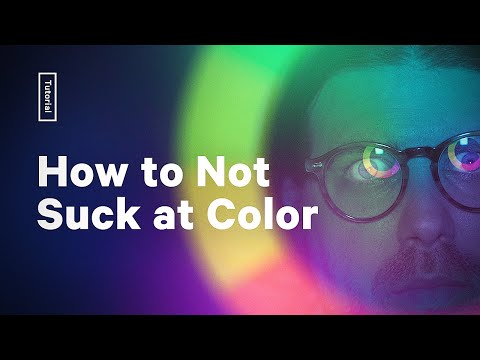
Greg Gunn covers five color theory tips for graphic and digital art, including pairing colors with harmonies, using neutrals, checking contrast for accessible palettes, and applying the 60-30-10 rule. The video suits designers who want a practical introduction to building color palettes.
Two Figma staff take on a no-preparation design challenge, spinning a wheel for a prompt and creating ads and branding for a fictional prebiotic soda called Spry using Figma's Vectorize Image tools.
Creative director Tom Crate walks through a five-step process for turning visual references into original design concepts, from understanding the brief to curating and organizing references into themes. It covers gathering inspiration on Pinterest and presenting ideas with headlines and short descriptions, with a worked example from moodboard to final project.
The video explains the difference between graphic designs that look polished and designs that communicate a clear idea. It covers visual language, idea clarity and why work can stall at an almost-there level. It is aimed at designers working on logos, branding and other graphic design, and touches on workflow, tools and AI.
A Photoshop tutorial that walks through building a vintage photo look using paper, dust and scratch textures, sun fading with soft light, curves colour grading, an iris blur and film grain. It is aimed at designers who want to give images a weathered, textured finish.
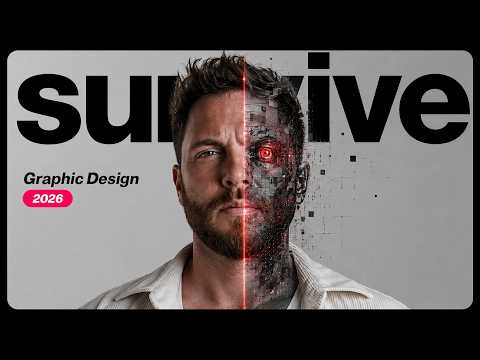
The video argues that AI tools such as ChatGPT and image generators are splitting graphic design into lower-end work that is faster, cheaper and saturated, and higher-level strategic work. It describes how agencies and studios use AI today and suggests that value rests on strategy, intent and decision-making. It is aimed at working designers deciding where they stand.
Shows how to train a graphic design eye by breaking down real design decisions, including visual hierarchy and layout, and why some designs feel stronger than others. Aimed at designers who want to judge design critically in a world of AI-generated visuals.
Ben Ganz, creative director of Pin Up Magazine, shares the books, printed matter, objects and ideas that inform his multidisciplinary practice across graphic design, publishing and physical objects. The episode is part of Figma's Source Material series and is aimed at designers interested in how references shape visual work.
Covers recent Affinity updates, including machine learning object selection, converting pixel selections to vector curves, live tone blend groups, multi-page spreads in Layout Studio, and Super Resolve upscaling. Aimed at designers who already work in Affinity.
For complete beginners who want to build the core habits of graphic design and apply them to posters and ads. You will learn to plan with purpose, choose colour and layout deliberately, and create simple, clear designs.
For designers ready to move past the basics, this path sharpens grids, hierarchy, colour and concept work, teaches you to critique, and finishes with advanced principles you can apply to your own projects.
For beginner graphic designers who want to set type well and bring brand thinking into their layouts. You will move from type rules and moodboards to presenting a logo to a client.
For beginners moving into product design who want to arrange type, layout and brand principles into a consistent visual system. By the end you will be able to apply type rules, work in Figma and keep interface visuals coherent.
;}.cls-2{fill:%2358d687;}.cls-3{fill:url(%23Degradado_sin_nombre_10);}.cls-4{fill:url(%23Degradado_sin_nombre_31);}.cls-5{fill:%238030d1;}.cls-6{fill:url(%23Degradado_sin_nombre_23);}%3c/style%3e%3clinearGradient%20id='Degradado_sin_nombre_17'%20x1='129.39'%20y1='83.35'%20x2='56.4'%20y2='162.54'%20gradientUnits='userSpaceOnUse'%3e%3cstop%20offset='0'%20stop-color='%23287d8c'/%3e%3cstop%20offset='1'%20stop-color='%2350b5db'/%3e%3c/linearGradient%3e%3clinearGradient%20id='Degradado_sin_nombre_10'%20x1='449.01'%20y1='190.97'%20x2='266.02'%20y2='78.2'%20gradientUnits='userSpaceOnUse'%3e%3cstop%20offset='0'%20stop-color='%23ffe286'/%3e%3cstop%20offset='1'%20stop-color='%23ffcd1d'/%3e%3c/linearGradient%3e%3clinearGradient%20id='Degradado_sin_nombre_31'%20x1='99.7'%20y1='309.69'%20x2='146.19'%20y2='485.35'%20gradientUnits='userSpaceOnUse'%3e%3cstop%20offset='0.01'%20stop-color='%23ff9464'/%3e%3cstop%20offset='1'%20stop-color='%23b3553a'/%3e%3c/linearGradient%3e%3clinearGradient%20id='Degradado_sin_nombre_23'%20x1='547.05'%20y1='208.96'%20x2='252.56'%20y2='438.86'%20gradientUnits='userSpaceOnUse'%3e%3cstop%20offset='0'%20stop-color='%23ff7da1'/%3e%3cstop%20offset='1'%20stop-color='%23f20b4f'/%3e%3c/linearGradient%3e%3c/defs%3e%3ctitle%3efavicon%3c/title%3e%3cg%20id='_Group_'%20data-name='<Group>'%3e%3cg%20id='_Group_2'%20data-name='<Group>'%3e%3cg%20id='_Group_3'%20data-name='<Group>'%3e%3cpath%20id='_Path_'%20data-name='<Path>'%20class='cls-1'%20d='M232.54,165.43a124.47,124.47,0,0,1-106.95,60.76h0A101.77,101.77,0,0,1,23.82,124.41V0L132.31,95.94A517.46,517.46,0,0,0,232.54,165.43Z'/%3e%3cpath%20id='_Path_2'%20data-name='<Path>'%20class='cls-2'%20d='M250,0V101.78a123.87,123.87,0,0,1-17.46,63.65A517.46,517.46,0,0,1,132.31,95.94L23.82,0Z'/%3e%3cpath%20id='_Path_3'%20data-name='<Path>'%20class='cls-3'%20d='M476.18,226.19a518.87,518.87,0,0,1-243.64-60.76A123.87,123.87,0,0,0,250,101.78V0A226.12,226.12,0,0,1,476.18,226.19Z'/%3e%3cpath%20id='_Path_4'%20data-name='<Path>'%20class='cls-4'%20d='M232.54,334.57a517.71,517.71,0,0,0-100.23,69.54L23.82,500V375.59A101.77,101.77,0,0,1,125.59,273.81h0A124.47,124.47,0,0,1,232.54,334.57Z'/%3e%3cpath%20id='_Path_5'%20data-name='<Path>'%20class='cls-5'%20d='M250,398.22V500H23.82l108.49-95.89a517.71,517.71,0,0,1,100.23-69.54A123.87,123.87,0,0,1,250,398.22Z'/%3e%3cpath%20id='_Path_6'%20data-name='<Path>'%20class='cls-6'%20d='M476.18,273.81A226.12,226.12,0,0,1,250,500V398.22a123.87,123.87,0,0,0-17.46-63.65A518.87,518.87,0,0,1,476.18,273.81Z'/%3e%3c/g%3e%3c/g%3e%3c/g%3e%3c/svg%3e)